Key takeaways
- A good fit matters more than any feature.
- Noise canceling is worth it for commuting and travel.
- Earbuds from your phone's maker usually integrate best.
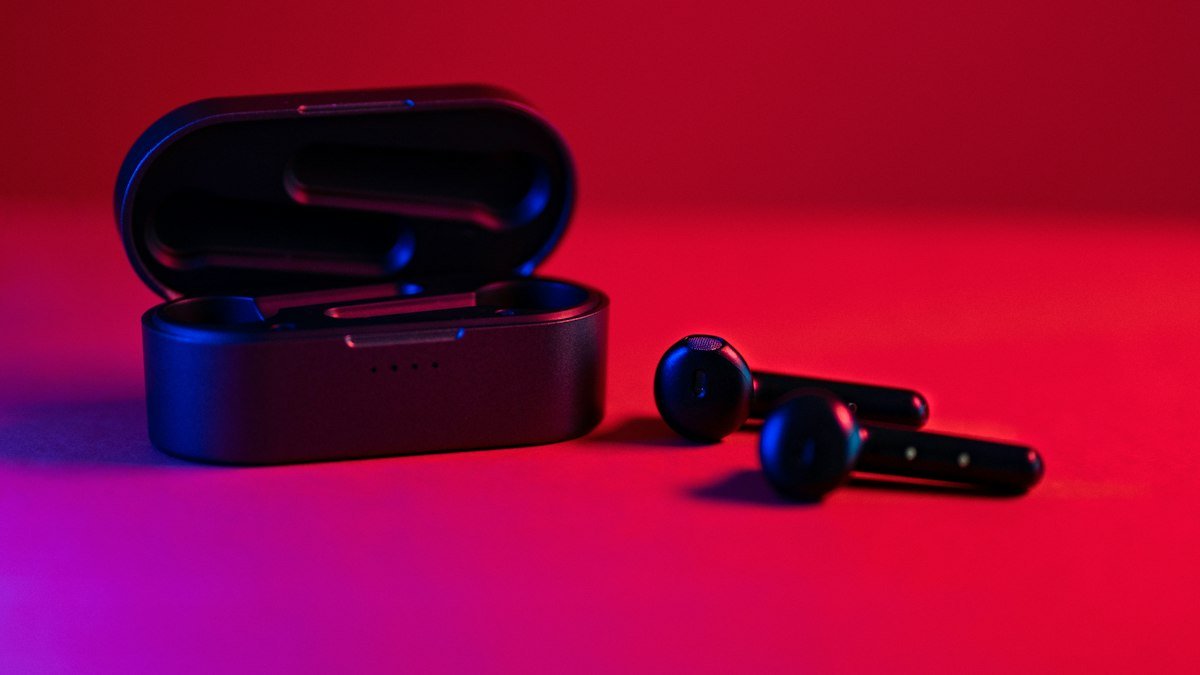
Wireless earbuds range from under $30 to more than $300. The extra money buys better noise canceling, call quality and features, but the best pair for you is the one that fits your ears and works well with your phone. A premium model that keeps slipping out on your morning run is a worse buy than a modest pair that stays put.
This guide explains what to compare before you buy wireless earbuds, in the order that matters most: fit, noise canceling, phone compatibility, battery and the smaller features that separate a good pair from a frustrating one.
Fit comes first
Earbuds that do not seal properly will sound thin and fall out. Look for models that include several ear tip sizes, and consider wing tips or ear hooks if you plan to exercise.
The seal is what produces bass and blocks outside noise. If the tip is too small, sound leaks out and low notes vanish. If it is too large, the earbud pushes out of your ear and becomes sore within an hour. Many people use the medium tips that come preinstalled and never try the others, which is a mistake. Spend ten minutes testing each size, and remember that your left and right ears may need different ones.
Some companion apps include a fit test that plays a tone and checks the seal with the built in microphones. If your earbuds offer one, use it.
Two basic designs
Most earbuds use silicone tips that sit inside the ear canal. A smaller group rests in the outer ear without sealing. The open style feels lighter and lets you hear your surroundings, but it cannot block noise well and usually delivers less bass. Try both if you can, because comfort is personal.
Active noise canceling
Noise canceling uses microphones to cancel steady background sound, such as engines and air conditioning. It is worth paying for if you commute, fly or work in noisy spaces. A transparency mode lets outside sound in when you need to hear traffic or announcements.
It helps to know how the feature works. The earbuds listen to the sound around you and produce an opposite sound wave that cancels much of it out. This works best on constant, low pitched noise like a plane cabin or a bus engine. It is less effective against sudden or high pitched sounds, such as voices or a clattering cafe. A good physical seal does a lot of that work, which is another reason fit matters.
If you spend most of your listening time at home or on quiet walks, you may not need noise canceling at all, and skipping it can save money and battery life.
Transparency mode
Transparency, sometimes called ambient mode, uses the same microphones to pipe outside sound in. It is useful when you are crossing streets, ordering coffee or listening for a train announcement. Quality varies a lot between models. The better versions sound natural, while weaker ones make voices sound hollow.
Match your phone
- iPhone users get the smoothest pairing and features with AirPods.
- Samsung users get extra features with Galaxy Buds.
- Google Pixel users get the best integration with Pixel Buds.
- Most other earbuds work well with any phone, with features controlled through the maker's app.
The extras you get from matching brands include faster pairing, automatic switching between your own devices and easy access to settings without a separate app. None of these are essential, but they remove small daily annoyances. If you are deciding on a new phone at the same time, our guide on how to choose a smartphone explains why the ecosystem question matters across all your devices.
Third party earbuds can be excellent value. Before buying, check that the companion app is available and well reviewed on your phone's platform, since that is where you adjust the sound, controls and updates.
Battery life
Check two numbers: hours per charge in the earbuds, and total hours with the case. Noise canceling usually reduces battery life.
The first number tells you whether the earbuds will last through a long flight or a full workday of calls. The second tells you how often you need to plug in the case. Like any rechargeable battery, the cells in earbuds wear down over time, and because the batteries are tiny and sealed, they usually cannot be replaced. Buying a pair with comfortable headroom today means they will still last through your routine a couple of years from now.
Wireless charging for the case is a convenience rather than a requirement. Quick charge features, where a short top up gives you a useful amount of listening time, are often more valuable in practice.
Other features worth checking
- Water and sweat resistance: look for an IPX4 rating or higher for workouts.
- Multipoint: connects to your phone and laptop at the same time.
- Call quality: read reviews that test calls in noisy places.
- Replaceable tips and warranty: cheap earbuds can be hard to repair.
Multipoint is one of the most underrated features. If you take calls on your laptop and your phone, it lets the earbuds stay connected to both and switch to whichever one rings. Without it, you will spend time in Bluetooth menus.
Call quality is the area where cheap and expensive earbuds differ most. The microphones are far from your mouth, so earbuds rely on software to separate your voice from wind and traffic. Reviews that record test calls on a busy street are the most useful guide here.
Sound quality and codecs
Most people will be happy with the default sound of a well reviewed pair, especially once the fit is right. Many apps include an equalizer to adjust bass and treble. Spec sheets also list Bluetooth codecs, which affect how audio is compressed. They matter mostly if your phone supports the same codec, so do not pay extra for one your phone cannot use.
A note on hearing
Keep the volume at a moderate level. A useful rule is to stay under 60 percent volume for no more than 60 minutes at a time. Many phones can warn you about loud listening.
Noise canceling can actually help here. When the background is quieter, you are less tempted to turn the music up to drown out a train or a noisy office. Take regular breaks, and check your phone's hearing or sound settings for volume limits, especially on earbuds used by children.
How to buy without regret
- Decide where you will use them most: commuting, the gym, the office or home.
- Shortlist pairs that suit your phone and include multiple tip sizes.
- Read reviews that test noise canceling, battery life and calls.
- Buy from a store with an easy return policy, and test the fit in your first few days.
If you want to build a connected setup around your speakers and lights as well, our smart home starter guide explains how to pick one platform. For more buying advice, see our gadgets coverage.
Frequently asked questions
Are expensive wireless earbuds worth it?
They can be, if you need strong noise canceling, good call quality or tight integration with your phone. If you mostly listen at home or on quiet walks, a well reviewed budget pair with a good fit may serve you just as well.
Why do my earbuds keep falling out?
Usually the ear tips are the wrong size. Try every tip size in the box, and consider separate sizes for each ear. For workouts, models with wing tips or ear hooks stay in place better.
Does noise canceling hurt your ears?
Noise canceling itself is not harmful, though some people find the sensation of pressure uncomfortable at first. It can protect your hearing by letting you listen at a lower volume in noisy places.
Can I use AirPods with an Android phone?
Yes, they work as standard Bluetooth earbuds. You will lose some convenience features that are designed for Apple devices, so Android users often get more from earbuds made for their phone or from a brand with a good cross platform app.
Share this story
Spotted an error? Tell us