Key takeaways
- Check your system type and wiring, including the C wire.
- Schedules, geofencing and remote sensors do the real saving.
- Look for utility rebates and ENERGY STAR certification.
Heating and cooling are where most home energy money goes. ENERGY STAR says almost half of the average American household's annual energy bill goes to heating and cooling, which it puts at more than $900 a year. A smart thermostat cannot change the weather or fix a drafty window, but it can stop your system from running when nobody is home and make it far easier to stick to a sensible schedule. The trick is choosing one that actually works with your equipment and your habits.
This guide covers compatibility, the features that save energy, smart home integration, who each type suits, what to skip and how to pay less.
Check compatibility before anything else
A smart thermostat is only as good as its connection to your heating and cooling system. ENERGY STAR's own advice to buyers starts here: make sure the thermostat is compatible with your system.
Know your system type
Common setups include forced air furnaces with central air, heat pumps, boilers and radiant floors. Some homes have multistage systems or dual fuel setups that combine a heat pump with a furnace. Most smart thermostats handle common systems, but specialized equipment needs checking.
Look at your wires
Turn off power to the system at the breaker, remove your current thermostat's cover and photograph the wiring and labels. Most smart thermostat makers offer an online compatibility checker where you enter which terminals are in use.
Pay special attention to the C wire, or common wire. It provides steady power to the thermostat. Some smart thermostats require one, some include an adapter kit and some can work without it in many homes. If you do not have a C wire, choose a model that offers a clear solution rather than hoping it will work.
Watch out for line voltage systems
Electric baseboard heaters often use high voltage thermostats mounted directly on the wall. Standard smart thermostats are not designed for these. Look for models made specifically for line voltage, and consider hiring an electrician.
If anything in your wiring looks unusual, or you are uncomfortable working with your system, a licensed HVAC technician can install the thermostat. That cost is small compared with damaging equipment.
The features that save energy
Scheduling and learning
Every smart thermostat lets you set a schedule from your phone. Some also learn your preferences over time and build a schedule for you. Learning is convenient, but a simple manual schedule that lowers heating at night and while you are at work does most of the job.
Geofencing and occupancy sensing
Geofencing uses your phone's location to tell the thermostat when everyone has left and when someone is heading home. ENERGY STAR lists geofencing among the common features of certified smart thermostats. Some models also use motion or occupancy sensors to detect when rooms are empty. These features help most in homes with unpredictable schedules.
Remote sensors
A single thermostat in the hallway does not know that the upstairs bedroom is cold. Remote room sensors let the system average temperatures across rooms or focus on the rooms in use. They are worth considering in larger or multistory homes with uneven temperatures.
Energy reports and utility programs
Monthly reports showing how long your system ran help you spot changes, like a filter that needs replacing. Many utilities run demand response programs that adjust thermostats slightly during peak times in exchange for credits. Read the terms before enrolling so you know how much control you are handing over.
Remote control and updates
Control from your phone is standard and genuinely useful for adjusting the temperature before you get home from a trip. ENERGY STAR also mentions over the air software updates and low power standby among common features of certified models.
Smart home integration
Decide which voice assistant or smart home app you want to use, then confirm the thermostat supports it. Many newer devices support Matter, a standard maintained by the Connectivity Standards Alliance that aims to let devices from multiple brands work together. Matter runs over Wi-Fi and Thread networks. Support for specific features can still vary between apps, so check the thermostat maker's site for details.
Wi-Fi reliability matters. ENERGY STAR suggests making sure your router is close enough to avoid disconnections and considering a range extender if needed. A thermostat that keeps dropping offline cannot follow a smart schedule from the cloud.
If you are just starting with connected devices, our smart home starter guide explains which first purchases tend to pay off.
Who each choice suits
- Renters: check your lease and ask your landlord first. Keep the old thermostat to reinstall when you move out.
- Busy households with irregular schedules: prioritize geofencing and occupancy sensing.
- Larger homes with hot and cold rooms: look for remote sensor support.
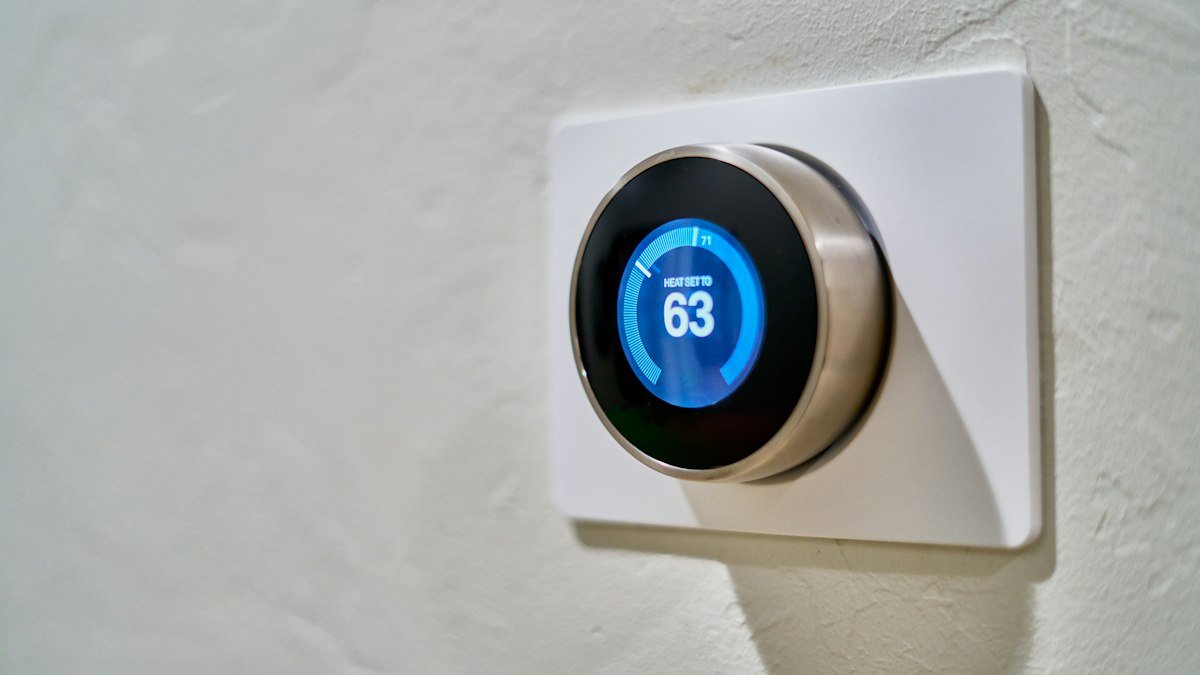
- People who like simple controls: choose a model with a clear physical dial or display, so guests can use it without an app.
- Smart home enthusiasts: confirm Matter or your preferred platform is supported before buying.
What you can skip
- Large color screens and extra widgets. Weather, photos and news on a thermostat look nice but do not save energy.
- Premium finishes. The software and sensors usually match the standard version.
- Paid add ons you do not need. Some services offer extra monitoring by subscription. Make sure the basics work without paying monthly.
- Constant manual tweaking. Frequent big adjustments often waste energy. Set a sensible schedule and leave it alone.
How to save money on a smart thermostat
Start with your utility company. Many offer rebates or instant discounts on qualifying smart thermostats, sometimes through their own online stores, and some offer free installation programs. ENERGY STAR advises shoppers to look for its label, and utility rebates often require a certified model, so check both before you buy.
Previous generation models are often discounted and still include the features that matter most. Seasonal sales also bring regular price cuts on smart home gear.
Once installed, the biggest savings come from your settings, not the hardware. Lower the heat while you sleep and while the house is empty, raise the cooling setpoint in summer and change air filters on schedule.
Keep it secure
A smart thermostat is a connected device on your home network. Use a strong, unique password for the account, turn on two step sign in if available and keep the firmware updated. Our guides on whether you need a password manager and protecting your online accounts in 10 minutes walk through the basics. For more buying advice, see our gadgets coverage.
Frequently asked questions
Do I need a C wire for a smart thermostat?
Not always. Some models require one, some include an adapter and some work without it in many homes. Use the maker's compatibility checker with a photo of your current wiring before buying.
Will a smart thermostat lower my energy bill?
It can, mainly by avoiding heating and cooling when nobody is home and by making schedules easy to keep. Results depend on your home, your climate and how you use it.
Can I install a smart thermostat myself?
Many people do, especially when replacing a standard low voltage thermostat. If your system uses line voltage, has unusual wiring or you feel unsure, hire a licensed professional.
Does a smart thermostat work without Wi-Fi?
Most still control heating and cooling locally if Wi-Fi drops, but remote control, geofencing and app features usually stop working until the connection returns.
Share this story
Spotted an error? Tell us