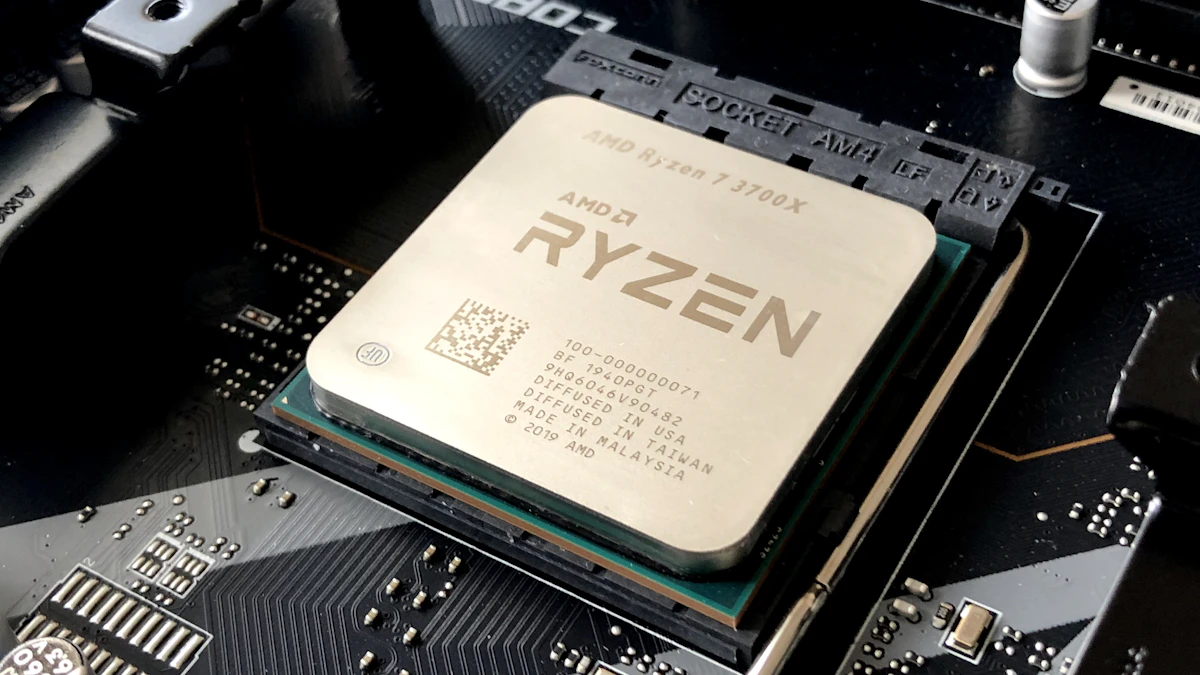
Key takeaways
- An NPU, or neural processing unit, is a dedicated block inside modern laptop and phone chips that runs AI tasks such as video call effects and live translation with very little battery drain.
- Microsoft requires an NPU rated above 40 TOPS for a Windows laptop to qualify as a Copilot+ PC, and newer Intel, AMD and Qualcomm chips reach 50 to 80 TOPS.
- You can check for an NPU on Windows 11 by opening the Performance tab in Task Manager or looking for a Neural processors category in Device Manager.
In this story 8 sections
Laptop spec sheets now list three processors where there used to be one: a CPU, a GPU and an NPU. If you are wondering what an NPU is and whether it should affect what you buy, the short version is this. An NPU (neural processing unit) is a part of the chip built to run AI tasks using very little power, and for most people today it is a nice extra rather than a must have.
What is an NPU in a laptop?
An NPU in a laptop is a dedicated block inside the main processor that handles the math behind AI features. Microsoft describes it as a specialized chip designed to speed up AI tasks such as live translation and image creation.
It is not a separate card. On current Intel Core Ultra, AMD Ryzen AI, Qualcomm Snapdragon X and Apple M series chips, the NPU sits on the same piece of silicon as the CPU and graphics. Apple calls its version the Neural Engine. Intel has used the name AI Boost, and Qualcomm calls its NPU Hexagon.
A useful way to picture it: the CPU is a skilled generalist who can do any job, the GPU is a large crew that is great at doing thousands of similar tasks at once, and the NPU is a specialist who only does one kind of work (the repeated multiply and add steps that neural networks rely on) but does it quickly while barely touching the battery.
What is an NPU used for?
An NPU is used for AI features that need to run constantly or instantly on the device, without draining the battery or sending data to the cloud.
On Windows, Microsoft's Copilot+ PC page lists features built around the NPU, and it notes which ones run locally. These include:
- Windows Studio Effects, which blurs your background, keeps your face framed and adjusts eye contact on video calls
- Live Captions with translation, which Microsoft says can translate audio and video into English from more than 40 languages
- Recall and Click to Do, which let you search for and act on things you saw on screen
- Super resolution in Photos, which upscales older or smaller pictures
Some other Copilot+ features, such as Cocreator in Paint and Restyle Image, still need an internet connection, according to the same page. So an NPU does not mean every AI feature works offline.
On phones and Macs, the same kind of hardware handles photo processing, face recognition and dictation.
NPU vs GPU vs CPU: what is the difference?
The difference comes down to flexibility versus efficiency. The CPU runs everything, the GPU is the fastest at heavy parallel work, and the NPU is the most power efficient for steady AI jobs.
- CPU: handles your apps, the operating system and most everyday work. It can run AI, but slowly and with more power.
- GPU: draws your screen and games, and is very strong at AI because it does many calculations at once. A large dedicated GPU is still the usual choice for running big local AI models, but it uses a lot of power.
- NPU: built only for AI inference (running a trained model, not training one). It is slower than a powerful GPU at peak, but it can run background AI for hours with little effect on battery life.
Apple's newest chips blur these lines a bit. Apple says its M5 chip pairs a 16 core Neural Engine with a GPU that has a Neural Accelerator built into each of its 10 cores, so AI work can be split across both. See Apple's M5 announcement.
What does TOPS mean for an NPU?
TOPS stands for trillions of operations per second, and it is the headline number used to compare NPU speed. Qualcomm's explainer on TOPS describes it as a count of simple operations, such as additions and multiplications, that the NPU can finish in one second.
The number that matters most on Windows is 40. Microsoft requires an NPU that can reach more than 40 TOPS for a laptop to be sold as a Copilot+ PC. Newer chips go well past that. PCWorld reported in January 2026 that Intel's Core Ultra Series 3 has a 50 TOPS NPU, AMD's Ryzen AI 400 series reaches 60 TOPS, and Qualcomm's Snapdragon X2 Elite and X2 Plus reach 80 TOPS.
Treat TOPS like horsepower on a car. It tells you the ceiling, not how the car feels in daily driving. Software support counts for more than a higher peak figure.
Do I need an NPU in my laptop?
You do not need an NPU unless you want specific Copilot+ features on Windows or plan to use on device AI often. Web based tools like ChatGPT, Gemini and Copilot in the browser run on remote servers, so they work the same on a laptop with no NPU at all.
An NPU is worth paying for if:
- You make a lot of video calls and want Studio Effects without extra battery drain
- You want Recall, Click to Do or Live Captions translation on Windows
- You are buying a laptop to keep for five years or more, since more apps are likely to use the hardware over time
It matters less if you mainly browse, write and stream, or if you game or run large local models, where a strong GPU and plenty of memory count for more.
There is also a software trend worth knowing about. PCWorld noted that Microsoft's newer developer tools let apps run AI on the GPU, CPU or NPU, rather than requiring an NPU as the earlier Copilot Runtime did. That makes the NPU less of a gatekeeper than it looked when Copilot+ PCs launched. Our guide on how to choose a laptop processor walks through the wider chip decision.
How do I know if my PC has an NPU?
The fastest check on Windows 11 is Task Manager. Press Ctrl + Shift + Esc, open the Performance tab and look for an NPU entry in the list on the left, next to CPU, Memory and GPU. If it is there, you have one.
Microsoft's Task Manager guide for AI workloads explains that on newer devices you can also add NPU and NPU engine columns on the Processes tab by right clicking the column header. That shows which apps are using it. Microsoft notes the exact labels depend on your processor and driver version.
You can also open Device Manager and look for a category called Neural processors. If you do not see one, check your processor model under Settings > System > About, then look it up on the Intel, AMD or Qualcomm website.
On a Mac with Apple silicon or any recent iPhone, you already have a Neural Engine. There is nothing to turn on.
What is an NPU driver, and do I need one?
An NPU driver is the software that lets Windows and apps talk to the NPU, and yes, you need it for the NPU to work. Without it, the hardware may not show up in Task Manager.
Most laptops ship with the driver installed and update it through Windows Update. If your NPU is missing, check for updates first, including the optional driver updates under Settings > Windows Update > Advanced options > Optional updates. If that does not help, download the latest driver from your laptop maker's support page rather than a third party site.
Can an NPU run AI chatbots offline?
Sometimes, but with limits. Small AI models can run on an NPU, and some apps use it for local summaries or text features. Larger chatbot models usually need more memory and speed than a laptop NPU offers, so most local chatbot tools lean on the GPU. If running models at home interests you, start with our explainer on what a large language model is to see why model size matters so much.
Before your next laptop purchase, open Task Manager on the one you have now and see if an NPU is listed. If it is and you have never noticed it working, that tells you a lot about how much a bigger one would change your day. For more plain English answers, browse our AI guides or the AI glossary for beginners.
Sources
Share this story
Spotted an error? Tell us