Key takeaways
- Pick your operating system first, because Apple M chips only come in Macs and Snapdragon X2 laptops run Windows on Arm.
- Intel Core Ultra X7 and X9 chips with Arc B390 graphics and AMD Ryzen AI 9 chips with Radeon 890M are the Windows choices for light gaming and full app compatibility.
- Snapdragon X2 Elite has an 80 TOPS NPU, but Microsoft says emulation does not cover drivers, so older printers and some anti cheat games may not work.
In this story 6 sections
If you want the short version of how to choose a laptop processor, start with the operating system, not the chip. Want a Mac? You are picking an Apple M chip, and the base one is enough for most people. Want Windows and play games or run older software? Intel Core Ultra Series 3 or AMD Ryzen AI 400 is the safe choice. Want Windows with the longest battery life and you only use modern apps? Snapdragon X2 is worth a serious look. Everything else is fine tuning.
The spec sheets make this harder than it needs to be. Each brand counts cores differently, names its tiers differently and quotes its own benchmarks. So this guide sticks to what the makers publish, says who made each claim, and focuses on the differences you will feel day to day.
The key differences between the four chip families
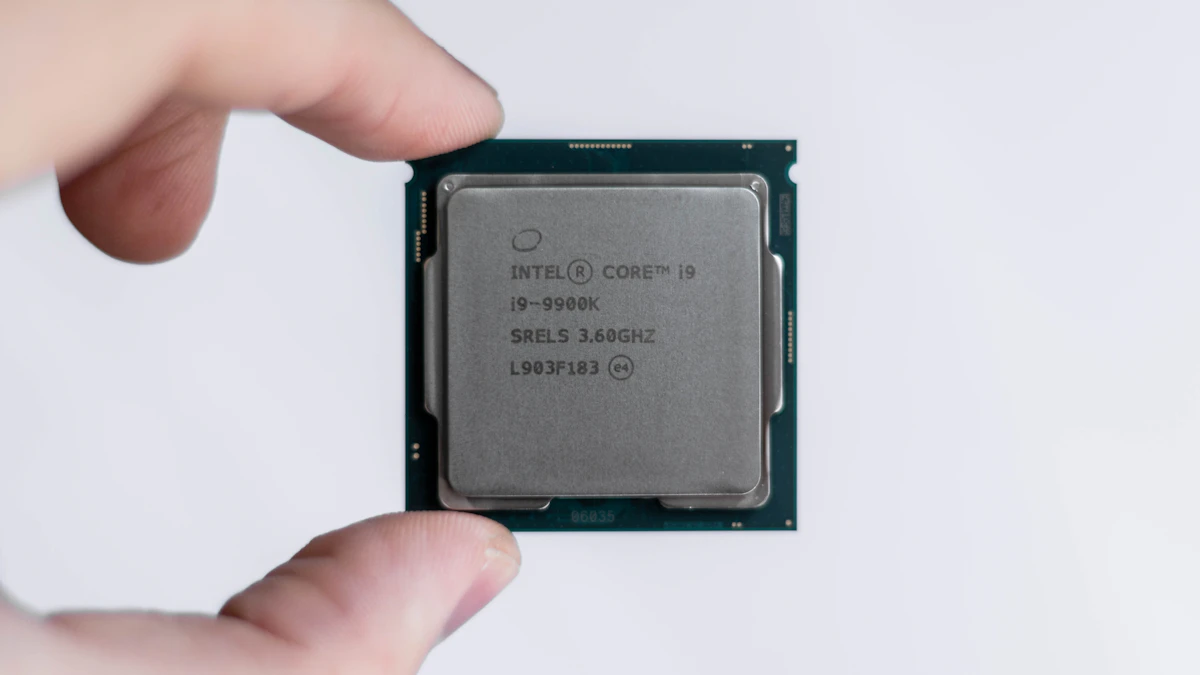
- Intel Core Ultra Series 3 (Panther Lake): up to 16 cores, up to 5.1 GHz, an NPU rated up to 50 TOPS, and the strongest built in graphics on the X7 and X9 models. Runs every Windows app natively.
- AMD Ryzen AI 400: up to 12 cores and 24 threads, up to 5.2 GHz, an NPU rated up to 60 TOPS, and Radeon 890M graphics on the top models. Also runs every Windows app natively.
- Apple M5 and M6: macOS only. The MacBook Air uses a 10 core M5. The 14 inch MacBook Pro offers M6, M5 Pro or M5 Max, scaling up to 40 GPU cores and 128GB of memory.
- Snapdragon X2 Elite: Windows on Arm. Up to 18 cores and an 80 TOPS NPU. Most Windows apps run, many through emulation, but anything that depends on its own driver needs an Arm version.
- Memory you cannot add later: on Apple laptops and many thin Windows laptops, memory is fixed when you buy, so choose it alongside the chip.
A quick word on those numbers. Core counts are not directly comparable across brands, because each mixes fast and efficient cores in its own way. TOPS (trillions of operations per second) only measures the NPU, the part that runs local AI features. A bigger TOPS figure does not make a laptop faster at web browsing, spreadsheets or games.
Intel Core Ultra Series 3
Intel launched Core Ultra Series 3, code named Panther Lake, at CES in January 2026. The Register reported that the compute die, which holds the CPU and NPU, is built on Intel's new 18A process. Intel's Core Ultra product page lists the lineup as Core Ultra 5, 7 and 9, plus a higher Core Ultra X7 and X9 tier.
Strengths
The X7 and X9 chips pair 16 CPU cores with Intel Arc B390 graphics, which have 12 Xe cores. Intel claims the Core Ultra X9 388H delivers 77% better gaming performance than the previous Core Ultra 9 288V, measured across 45 titles at 1080p with upscaling on Intel's reference systems. That makes these the Intel chips to look at if you want light gaming without a separate graphics card.
Battery claims are strong too. The Register reported Dell's claim that its XPS 14 and XPS 16 lasted more than 40 hours streaming 1080p video. Treat a maker's video playback number as a best case, but the direction is clear: Intel's thin and light chips are far more efficient than they were a few years ago.
Compatibility is the quiet advantage. Windows apps, games and printer drivers are written for x86 chips first, so nothing needs emulation.
Weak spots
The naming is a maze. Intel's own table lists 21 Series 3 models, and core counts within the same tier range from 6 to 16. A "Core Ultra 5" and a "Core Ultra X9" are very different machines, so check the exact model number on the spec sheet. The NPU, at up to 50 TOPS, is also the smallest of the three Windows options.
AMD Ryzen AI 400
AMD announced the Ryzen AI 400 series, code named Gorgon Point, at CES 2026. According to Tom's Hardware, the chips use Zen 5 and Zen 5c cores and top out with the Ryzen AI 9 HX 475: 12 cores, 24 threads and a 5.2 GHz boost.
Strengths
Multithreaded work is AMD's home turf. Twelve cores and 24 threads help with video exports, code compiles and big photo batches. The top chips carry Radeon 890M graphics with 16 compute units, and the NPU is rated up to 60 TOPS. AMD also claims up to 24 hours of battery life, highlighting the Ryzen AI 7 445.
For heavier creative or local AI work, AMD's Ryzen AI Max line (code named Strix Halo) goes further. Tom's Hardware reports the Ryzen AI Max+ 395 remains the flagship, with 40 graphics compute units, and AMD added two new Max+ models this year.
Weak spots
The 400 series is a refresh of the same Zen 5 design rather than a new generation, so if you already own a recent Ryzen AI laptop, the upgrade is small. Lower models also drop to Radeon 860M or 840M graphics with far fewer compute units, so the gaming story depends heavily on the exact chip.
Apple M5 and M6
Apple's chips only come in Macs, so this choice is really about whether you want macOS. If you are still deciding that, our MacBook vs Windows laptop comparison covers it.
Strengths
The MacBook Air with M5 has a 10 core CPU, up to a 10 core GPU and up to 18 hours of battery life, starting at $1,099 for the 13 inch model and $1,299 for the 15 inch (prices as of November 2026). That is plenty for school, office work and photo editing.
Step up to the 14 inch MacBook Pro and Apple's MacBook Pro specs page lists the M6 with a 12 core CPU (2 super cores, 4 performance cores and 6 efficiency cores), a 12 core GPU and up to 24 hours of video streaming. The M5 Pro and M5 Max scale to 18 CPU cores, and the M5 Max reaches a 40 core GPU with up to 128GB of unified memory.
Weak spots
You choose memory and storage at checkout, and upgrades add quickly to the price. PC gaming on a Mac is limited compared with Windows, and some specialist Windows software has no Mac version. Our MacBook Air vs MacBook Pro guide helps if you are torn between the two.
Snapdragon X2 Elite
Qualcomm's second generation laptop chips run Windows on Arm. CNX Software reports they are built on a 3nm process, with the top X2 Elite Extreme packing 18 cores (12 Prime and 6 Performance) and a single core boost of 5.0 GHz. Windows Central reports every X2 Elite model has an 80 TOPS NPU, up from 45 TOPS on the first generation.
Strengths
The NPU is the largest of the Windows chips here, which matters if you use Windows features that run AI locally.
App support is broad. Microsoft's documentation says Windows 11 on Arm runs both x86 and x64 apps through emulation, using a newer emulator called Prism that arrived with Windows 11 24H2.
Weak spots
Emulation has a hard limit. Microsoft states it only covers regular app code and does not support drivers, and that kernel drivers and print drivers must be built for Arm. In practice, that means an older printer, a niche hardware tool or a game whose anti cheat system runs as a driver may not work. Microsoft also notes that native Arm apps give the best performance and battery life, so heavily emulated software will feel slower.
Which processor to pick for your situation
- Students and everyday users on Windows: a Core Ultra 5 or 7, or a Ryzen AI 5 or 7, gives the widest compatibility at the lowest price. See our best laptops for college students for specific models.
- Students and everyday users happy with macOS: the M5 MacBook Air. The base chip is not a compromise.
- Frequent travelers who live in a browser and Office: Snapdragon X2 Elite, as long as you check your must have apps and devices first.
- Casual gamers without a graphics card budget: Core Ultra X7 or X9 with Arc B390 graphics, or a Ryzen AI 9 with Radeon 890M. Skip Snapdragon if you rely on games with anti cheat.
- Video editors and developers: a MacBook Pro with M5 Pro or M5 Max, or a Windows laptop with a 12 core Ryzen or 16 core Core Ultra chip.
- People who need an old printer, scanner or lab device to work: stick with Intel or AMD.
One last check before you buy: look up the exact processor model in the laptop's spec sheet, not just the family name. Two laptops sold as "Core Ultra 7" or "Ryzen AI 7" can perform quite differently, and the full model number is the only way to know which one you are getting. Our broader guide on how to choose a laptop covers screen, memory and storage, and you can find more buying advice in our gadgets section.
Sources
- Intel Core Ultra processors
- The Register: Intel Panther Lake launch
- Tom's Hardware: AMD Ryzen AI 400 series
- Apple Newsroom: MacBook Air with M5
- Apple MacBook Pro technical specifications
- CNX Software: Snapdragon X2 Elite
- Windows Central: Snapdragon X2 Elite vs X Elite
- Microsoft Learn: x86 emulation on Arm
- Microsoft Learn: troubleshooting x86 apps on Arm
Share this story
Spotted an error? Tell us