Key takeaways
- The iPad (A16) starts at $449 but does not support Apple Intelligence, while the iPad Air (M4) starts at $749 and the iPad Pro (M5) at $1,199.
- Only the Air and Pro have fully laminated, antireflective displays and work with Apple Pencil Pro, which matters most for note taking and drawing.
- The iPad Pro adds an Ultra Retina XDR tandem OLED screen with ProMotion and a 40Gb/s Thunderbolt port, features most buyers will not need.
In this story 5 sections
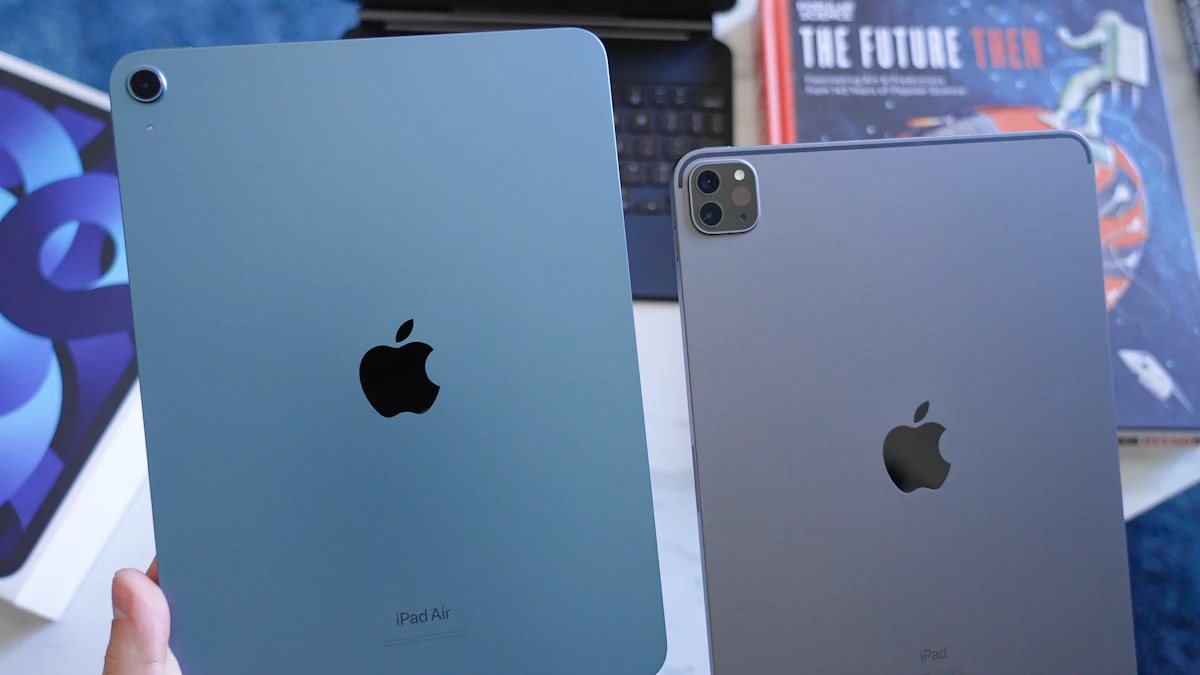
If you are weighing iPad vs iPad Air, here is the short version: the $449 iPad is enough for streaming, school notes and email, the iPad Air at $749 is the one most people should buy if they want Apple Intelligence and a few years of headroom, and the iPad Pro starting at $1,199 only makes sense if you need its OLED screen or Thunderbolt port for real work. Everything below explains why, using Apple's own spec pages and current US store prices as of November 2026.
Prices matter more than usual this year. Apple raised prices on several Macs and iPads in June 2026, citing memory costs, so older reviews quoting a $349 iPad or a $599 iPad Air are out of date. The figures here come from Apple's online store this month.
The key differences at a glance
- Price (Wi-Fi, 128GB or base storage): iPad (A16) $449, iPad Air 11-inch (M4) $749, iPad Air 13-inch $949, iPad Pro 11-inch (M5) $1,199, iPad Pro 13-inch $1,499.
- Chip and AI: the iPad runs an A16 and does not support Apple Intelligence. The Air has an M4 with 12GB of memory, and the Pro has an M5 with 12GB or 16GB. Both support Apple Intelligence.
- Screen: iPad and Air both use a Liquid Retina LCD without ProMotion, but only the Air is fully laminated with an antireflective coating. The Pro has an Ultra Retina XDR tandem OLED panel with ProMotion, up to 1,600 nits peak for HDR.
- Sizes: the iPad comes in 11 inches only. Air and Pro come in 11 and 13 inches.
- Port: USB 2 (up to 480Mb/s) on the iPad, USB 3 (up to 10Gb/s) on the Air, Thunderbolt and USB 4 (up to 40Gb/s) on the Pro.
- Apple Pencil: the iPad works with Apple Pencil (USB-C) and the 1st generation Pencil with an adapter. Air and Pro add support for Apple Pencil Pro.
- Keyboard: Magic Keyboard Folio for the iPad, Magic Keyboard for iPad Air, and Magic Keyboard for iPad Pro. None of them are interchangeable.
- Unlock: Touch ID in the top button on iPad and Air, Face ID on the Pro.
- Weight (11-inch, Wi-Fi): iPad 1.05 lb, Air 1.02 lb, Pro 0.98 lb.
iPad (A16): the $449 everyday tablet
The entry iPad is the one Apple sells to families, schools and anyone who mostly watches, reads and browses. It has an 11-inch Liquid Retina display rated at 500 nits, a landscape 12MP front camera with Center Stage, Touch ID and Wi-Fi 6. Storage starts at 128GB, with 256GB at $549 and 512GB at $749 on Wi-Fi models.
Strengths
The price is the obvious one. For $300 less than the Air, you get the same screen size, the same front camera placement for video calls in landscape, and a chip that handles streaming, browsing, note apps and video calls without fuss. It also comes in four colors (blue, silver, pink and yellow), which is more fun than the Pro's black or silver.
For a child, a kitchen counter tablet, or a reader who just wants a bigger screen than their phone, it is hard to argue for spending more.
Weak spots
The biggest gap is Apple Intelligence. Apple's store page says plainly that the iPad (A16) does not support it, so features like Writing Tools, the newer Siri and Image Playground are off the table. If those features matter to you now or in two years, this is the wrong iPad.
The screen is also a step behind. It is not laminated and has no antireflective coating, so there is a visible gap between the glass and the display, and it picks up more glare. When you write with a Pencil, the tip looks slightly separated from the line. The USB-C port runs at USB 2 speeds, which makes copying large video files painfully slow. And it only supports Apple Pencil (USB-C) or the old 1st generation Pencil, and the USB-C model has no pressure sensitivity.
iPad Air (M4): the sweet spot for most buyers
Apple released the M4 iPad Air in March 2026. According to Apple's announcement, it moved to 12GB of unified memory (a 50 percent jump) and is up to 30 percent faster than the M3 model. It also gained Apple's N1 wireless chip for Wi-Fi 7 and Bluetooth 6.
Strengths
The M4 chip and 12GB of memory are what make the Air the safe long term pick. Apple Intelligence runs on it, and the extra memory leaves room for heavier work like multitrack video edits or drawing files with many layers.
The display is the other reason. It is the same Liquid Retina type as the base iPad, but fully laminated with an antireflective coating and P3 wide color. In daily use that means less glare by a window and a more natural feel when you write. If you are deciding iPad vs iPad Air for note taking, that lamination plus Apple Pencil Pro support (squeeze gestures, barrel roll and Find My) is the real difference.
You also get a choice of size. The 13-inch Air is a genuine laptop alternative for split screen work, with a slightly brighter 600 nit panel. And the port is USB 3 at up to 10Gb/s, roughly 20 times faster on paper than the base iPad.
Weak spots
It still lacks ProMotion, so the screen tops out at 60Hz. Scrolling looks smooth enough, but next to a ProMotion display you will notice the difference. The 128GB base storage fills up fast with offline video or big creative projects, and moving up costs extra. And at $749, it is now $300 more than the iPad, a wider gap than it was a year ago.
Weight is not a reason to pick it over the base model. The 11-inch Air is 1.02 lb and the iPad is 1.05 lb, so you will not feel a difference in your bag.
iPad Pro (M5): for work that needs the best screen
The iPad Pro starts at $1,199 for the 11-inch and $1,499 for the 13-inch, each with 256GB. Apple's spec page lists an M5 chip, 12GB of memory on 256GB and 512GB models, and 16GB on 1TB and 2TB models.
Strengths
The Ultra Retina XDR tandem OLED display is the headline. It has true blacks, ProMotion for up to 120Hz motion, 1,000 nits full screen and 1,600 nits peak for HDR content. For photo editors, colorists and anyone watching HDR films, it is the best screen Apple puts in a tablet. You can also order nano-texture glass on 1TB and 2TB models to cut glare further.
The Thunderbolt and USB 4 port (up to 40Gb/s) lets you pull footage from fast external drives and connect to external displays properly. It is also the thinnest and lightest of the three (the 13-inch is 0.20 inches thick), and Face ID makes unlocking in landscape easier than reaching for a top button.
Weak spots
Most people will not use what they pay for. If your day is email, documents, browsing and video calls, the Air does all of that with the same Apple Intelligence features. The Pro's colors are limited to space black and silver, the Magic Keyboard for iPad Pro is its own expensive accessory, and the 16GB memory tier only comes with 1TB or more of storage.
Which one should you buy?
Think about what you will do on it in year three, not week one.
- Kids, casual users and streaming: the iPad (A16). It covers the basics and costs the least. Just accept that Apple Intelligence will not arrive on it.
- College students: the 11-inch iPad Air. Lamination, Pencil Pro support and Apple Intelligence make it a better study tool, and it will age better over a four year degree. If you are still deciding between a tablet and a laptop, our look at iPad vs MacBook for students and our best laptops for college students can help.
- Note takers and sketchers on a budget: the iPad Air again. The laminated screen is the upgrade you will notice every single day.
- People replacing a laptop: the 13-inch iPad Air with a Magic Keyboard. You get the bigger canvas without paying Pro prices.
- Video editors, photographers and artists who sell their work: the iPad Pro. The OLED display and 40Gb/s port justify the price only when your work depends on them.
- Someone who wants the smallest possible tablet: none of these. Look at the iPad mini, which we compare in OLED iPad mini vs A17 Pro iPad mini.
One more thing before you buy. Apple Intelligence also eats storage, and the space it needs has grown with recent updates (see how much storage Apple Intelligence uses in iOS 27). If you go with an Air or Pro to get those features, consider the 256GB tier so you are not deleting photos in a year. You can check every spec side by side on Apple's iPad comparison page, and the full details for each model are on the iPad Air tech specs and iPad Pro tech specs pages. For more buying advice, browse our gadgets section.
Sources
Share this story
Spotted an error? Tell us