Key takeaways
- Sony allows USB extended storage between 250GB and 8TB on the PS5, and PS5 games must be copied back to the console before you can play them.
- Apple recommends a Time Machine drive with at least twice the storage capacity of your Mac.
- A 2TB Crucial X10 listed at $469 on Amazon in November 2026, up from $171.99 in July 2025, so comparing stores matters more than ever.
In this story 6 sections
A 2TB external SSD that cost about $170 in mid 2025 can easily run $450 or more in November 2026. Memory prices climbed hard this year (we covered why in our look at the memory squeeze behind falling PC shipments), so picking the right external SSD now matters more than it used to. Buy the wrong speed class and you pay extra for performance your port or console can't use.
This guide sorts the field by job: backups, a PS5 game library, and video work on a Mac or PC. Every pick is a drive currently sold in the US.
How we chose these drives
We did not test these drives ourselves. The picks are based on manufacturer spec sheets, official console and computer requirements from Sony and Apple, and independent reviews, mainly Macworld's November 2026 review of the SanDisk Extreme Pro and PC Perspective's benchmark review of the Crucial X10. Prices are what US retailers listed in November 2026, and they are moving week to week, so treat them as a snapshot and check before you buy.
We favored drives with water and dust resistance, a published drop rating, and a speed class that matches common ports. One thing to know up front: the speed printed on the box only happens when your port can match it. A 20Gbps drive plugged into a 10Gbps port runs at 10Gbps speeds.
Best for most people and everyday backups: SanDisk Extreme Portable SSD (V3)
Who it's for: anyone who wants one drive for laptop backups, photo archives and moving files between computers.
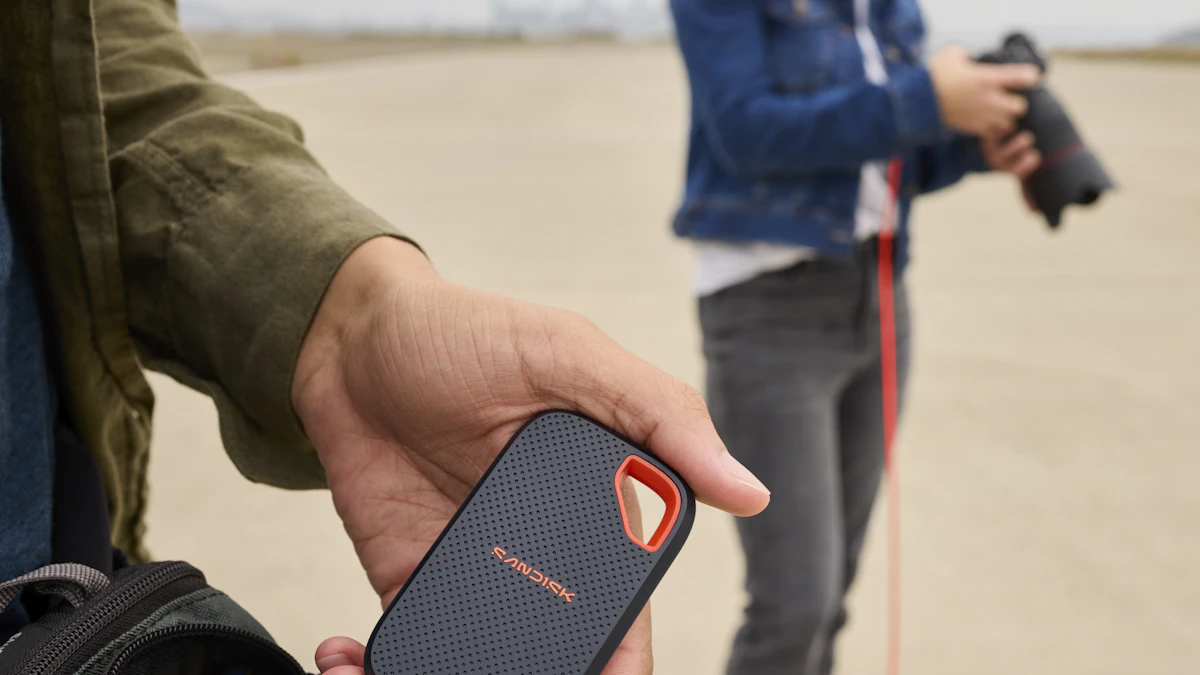
Why it stands out: the third generation SanDisk Extreme (model SDSSDE70) is rated at up to 2,000MB/s read and write over USB-C, roughly double the older 1,050MB/s version. It comes in 500GB, 1TB, 2TB and 4TB sizes, carries an IP65 dust and water rating, is rated to survive drops of up to 3 meters, and supports 256 bit AES encryption with a password. For backups, that encryption is the feature people forget until a drive goes missing from a bag.
If you plan to use it with Time Machine, size it properly. Apple's Time Machine support page recommends a backup drive with at least twice the storage capacity of your Mac. A Mac with 1TB of internal storage wants a 2TB drive. To set it up on macOS Ventura or later, open Apple menu > System Settings > General > Time Machine, click Add Backup Disk, pick the drive and click Set Up Disk. macOS may ask to erase the drive first.
Downsides: the older 1,050MB/s model is still listed alongside the new one at many stores, often with similar names. Check for the SDSSDE70 model number or the 2,000MB/s rating before you pay. Its top speed also needs a 20Gbps port, which many laptops don't have.
Price at the time of writing (November 2026): Amazon listed the 1TB at about $245 and the 2TB at about $360, according to the retailer listing tracked by Tech Stories India. The 1TB launched at $299.99 in March 2026.
Best for big PS5 game libraries: Crucial X10
Who it's for: PS5 owners who keep running out of room, and PC players who want a lot of capacity in a small drive.
Why it stands out: the Crucial X10 goes up to 8TB, which happens to be the exact ceiling Sony allows. The PlayStation support page on USB extended storage lists a minimum of 250GB and a maximum of 8TB, with a SuperSpeed USB 5Gbps or faster connection. The X10 is rated for up to 2,100MB/s reads over USB 3.2 Gen 2x2, with IP65 protection and a 9.8 foot (3 meter) drop rating. PC Perspective measured close to its rating in synthetic tests, about 2,098MB/s read and 2,005MB/s write, with large real world copies averaging around 1.4GB/s.
Know what a USB drive can and cannot do on a PS5 before you buy. Sony says PS5 games can't be played directly from USB extended storage; you store them there and copy them back to the console to play. PS4 games, on the other hand, play straight from the USB drive. Sony also notes that 20Gbps drives run as a single 10Gbps link on the console, and the drive can't connect through a USB hub. To set it up, go to Settings > Storage > USB Extended Storage > Format as USB Extended Storage.
Downsides: the warranty is 3 years, shorter than some rivals. The speed advantage is wasted on a PS5 and on any 10Gbps port, so on a console you are paying for capacity and build, not speed. It also has the sharpest price jump in this guide.
Price at the time of writing (November 2026): the 2TB listed at $469 on Amazon on November 16, 2026, according to PriceHistory's tracking. PC Perspective listed it at $171.99 in July 2025, which shows how much memory costs have moved.
Best for video editing on a Mac or fast PC: SanDisk Extreme Pro (USB4)
Who it's for: people editing 4K or higher video straight off the drive, or moving hundreds of gigabytes of footage at a time, on a computer with USB4 or Thunderbolt ports.
Why it stands out: the third generation SanDisk Extreme Pro moves to USB4, with SanDisk rating it at 4GB/s read and 3.8GB/s write. In Macworld's November 2026 review, it measured about 3.5GB/s read and around 4.2GB/s write in Blackmagic's disk test. That is fast enough to scrub high bitrate footage without copying it to the internal drive first. It keeps the IP65 rating and SanDisk's claimed 3 meter drop protection.
Downsides: Macworld found read speeds fell short of SanDisk's claims, and the drive does not support Thunderbolt 5. It is expensive, and an 8TB version is not out yet. On a plain 10Gbps USB port, most of its speed disappears, so it only makes sense if your computer has USB4 or Thunderbolt.
Price at the time of writing (November 2026): Macworld listed the 2TB at $549.99 (B&H showed $549.99 and Amazon $499.99 during a Black Friday deal) and the 4TB at $1,099.99.
What to skip at current prices
- Paying a premium for the Samsung T7 Shield right now. It is a well liked rugged drive, rated up to 1,050MB/s read and 1,000MB/s write, IP65 and good for drops of up to 9.8 feet. But Samsung's own US store listed the 2TB at $574.99 in November 2026, more than faster drives above. If you find it heavily discounted, it is still a fine 10Gbps drive, and on a PS5 it performs the same as faster models.
- Older generation lookalikes. SanDisk and other brands sell old and new versions side by side with near identical names. The model number and rated speed tell you which one you are getting.
- 20Gbps or USB4 speed you can't use. If your laptop or console tops out at 10Gbps, a faster drive is just a more expensive drive. Check your port first.
- Unknown brand drives promising huge capacity for little money. With memory this expensive, a 4TB drive selling for far less than the big brands deserves suspicion. Stick to brands with published warranties and model numbers.
- Spinning hard drives for anything you move around. For bulk backups that sit on a desk, a hard drive can still make sense, but for a drive in a bag, an SSD survives knocks better. Our SSD vs HDD guide covers that trade off in detail.
A quick buying checklist
- Check your port. Find out whether your computer or console has 5Gbps, 10Gbps, 20Gbps, USB4 or Thunderbolt ports, and buy the speed class that matches. If you are shopping for a new computer too, our laptop buying guide explains what those ports mean.
- Size it for the job. For Time Machine, Apple recommends double your Mac's storage. For a PS5, stay between 250GB and 8TB.
- Confirm the exact model. Match the model number or rated speed to the version you want.
- Look for protection. An IP65 rating and a stated drop rating are worth having on any drive that leaves the house.
- Read the warranty length. It ranges from 3 to 5 years among major brands.
- Compare prices across stores. Prices are shifting quickly this year, and the same drive can differ by $100 or more between retailers.
Once the drive arrives, format it for the device it will live with (the console or Time Machine will offer to do this) and run your first backup the same day. A backup drive that sits in its box protects nothing. For more storage and accessory coverage, browse our gadgets section.
Sources
- PlayStation Support: USB extended storage on PS5
- Apple Support: Back up your Mac with Time Machine
- Macworld: SanDisk Extreme Pro SSD review
- PC Perspective: Crucial X10 2TB review
- Samsung US: Portable SSD T7 Shield 2TB
- Tech Stories India: SanDisk Extreme Portable SSD V3 pricing
- PriceHistory: Crucial X10 2TB Amazon price
Share this story
Spotted an error? Tell us