Key takeaways
- The M5 MacBook Air starts at $1,099 for the 13 inch model, while the cheapest MacBook Pro, the 14 inch with M6, starts at $1,999.
- Apple rates the M6 MacBook Pro at up to 24 hours of video playback, beating the fanless MacBook Air at up to 18 hours.
- The Pro adds a 120Hz Liquid Retina XDR display, HDMI, an SDXC slot and a third Thunderbolt port, plus up to 128GB of memory with M5 Max.
In this story 5 sections
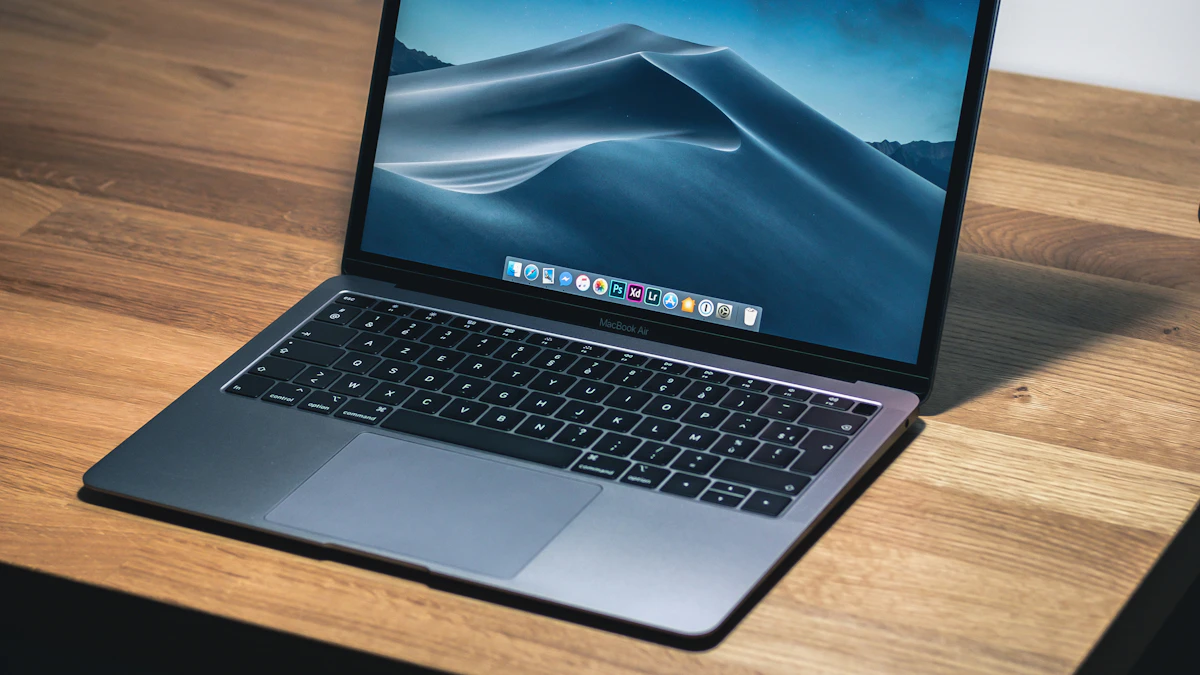
For most people choosing between a MacBook Air vs MacBook Pro, the Air is the better buy. The M5 MacBook Air starts at $1,099, weighs 2.7 pounds, runs silently with no fan and lasts up to 18 hours on a charge, which covers school, office work, photo edits and plenty of light video. The Pro earns its higher price (from $1,999) only if you will actually use what it adds: a brighter 120Hz screen, more ports, more memory headroom and chips built for long, heavy workloads.
That split has held for years, but the details changed this fall. Apple now sells a 14 inch MacBook Pro with the new M6 chip, plus touchscreen Pro models, while the Air stays on M5. Here is how the current lineup compares, using the figures on Apple's own spec pages and press releases.
How the Air and Pro differ, in short
- Starting price: MacBook Air 13 inch from $1,099 and 15 inch from $1,299. MacBook Pro 14 inch with M6 from $1,999. Education pricing drops these to $999, $1,199 and $1,899.
- Chips: every Air uses the M5 with a 10 core CPU. The Pro offers the M6 (12 core CPU), M5 Pro or M5 Max.
- Memory and storage: the Air starts at 16GB and 512GB and tops out at 32GB and 4TB. The Pro starts at 16GB and 1TB and goes up to 128GB and 8TB with M5 Max.
- Screen: the Air has a 500 nit LED display. The Pro has a Liquid Retina XDR display with ProMotion up to 120Hz, up to 1,600 nits peak for HDR and an optional nano texture finish.
- Ports: the Air has two Thunderbolt 4 ports, MagSafe and a headphone jack. The Pro adds a third Thunderbolt port, HDMI and an SDXC card slot.
- Weight: 2.7 pounds (Air 13), 3.3 pounds (Air 15), 3.4 pounds (Pro 14 with M6) and 4.7 pounds (Pro 16).
- Battery: up to 18 hours of video on the Air and up to 24 hours on the M6 Pro, according to Apple.
- Cooling: the Air is fanless and silent. The Pro has a cooling system built to hold its speed under sustained load.
MacBook Air with M5
The Air is the Mac most people should start with. Apple's M5 MacBook Air announcement doubled the base storage to 512GB, and 16GB of unified memory is now standard, so the cheapest model is no longer the trap it used to be.
Where the Air is strongest
Portability. At 0.44 inch thick and 2.7 pounds, the 13 inch Air is the one you forget is in your bag. The 15 inch model gives you a bigger 15.3 inch screen and six speakers for 3.3 pounds, still lighter than the smallest Pro.
Silence. Apple describes the Air as a completely silent, fanless design. Lecture halls, libraries and late night video calls stay quiet no matter what you run.
Value. For $900 less than the base Pro you get the same 12MP Center Stage camera, Wi-Fi 7, Bluetooth 6, Touch ID and support for up to two external displays. Few everyday tasks, from browsing and documents to Lightroom edits and Zoom, will push an M5 hard.
Where the Air falls short
Sustained heavy work. Without a fan, a chip has to slow itself down once it gets hot. That matters for long video exports, big code builds or 3D renders that run for many minutes. Short bursts feel just as quick as a Pro.
The screen. The Air's 500 nit display looks sharp at 224 pixels per inch, but it lacks the Pro's 120Hz refresh rate and HDR brightness. Scrolling looks less smooth, and HDR photos and video lose their punch.
Ports and ceiling. Two USB C ports go quickly once you plug in a drive and a monitor, and 32GB is the memory limit. If you shoot to SD cards or connect to TVs often, you will live with dongles.
MacBook Pro with M6, M5 Pro or M5 Max
The Pro line now spans a wide range. The entry 14 inch model with M6, detailed in Apple's M6 MacBook Pro release, costs $1,999 with 16GB of memory (configurable to 32GB) and 1TB of storage. Above it sit M5 Pro and M5 Max models in 14 and 16 inch sizes, and the new touchscreen versions with Apple's PROLED XDR display, which start at $2,899.
Where the Pro is strongest
The display. Apple's MacBook Pro spec page lists up to 1,000 nits sustained, 1,600 nits peak for HDR, a 1,000,000:1 contrast ratio and ProMotion refresh up to 120Hz. If you edit photos or video, color grade or simply work outdoors, this is the biggest everyday difference you will notice.
Battery life. This surprises people. Apple rates the M6 Pro at up to 24 hours of video streaming and 16 hours of web browsing, against 18 and 15 hours for the Air. The 72.4 watt hour battery is simply bigger.
Headroom. The M5 Pro and M5 Max add Thunderbolt 5, up to 128GB of memory and support for three or four external displays. Those numbers matter for music producers with large sample libraries, developers running virtual machines and anyone who runs AI models locally.
Ports. HDMI, an SDXC slot and three Thunderbolt ports mean most photographers and presenters can leave the dongle at home.
Where the Pro falls short
Price. The cheapest Pro costs nearly twice the cheapest Air, and M5 Pro and Max configurations climb quickly from there.
Weight and bulk. The 14 inch Pro is 0.61 inch thick and 3.4 pounds. The 16 inch model, sold only with M5 Pro or M5 Max, weighs 4.7 pounds, which you will feel on a daily commute.
Overkill for many buyers. The base M6 Pro still tops out at 32GB, the same as the Air, and it keeps Thunderbolt 4. If you will not use the screen or the sustained speed, you are paying for features you will not see.
Which one to pick for the way you work
College students. Get the MacBook Air 13 inch. It is light, quiet in class, and the education price of $999 leaves room for AppleCare or a storage upgrade. Our guide to the best laptops for college students covers other budgets. Film, music production or architecture majors are the exception and should look at a Pro.
Office work, writing and browsing. The Air, every time. If you want a bigger screen for spreadsheets, the 15 inch Air costs $700 less than the 14 inch Pro and weighs less.
Photographers. A Pro is worth it for the XDR screen and the SD card slot alone. The M6 model is enough for most Lightroom and Photoshop work.
Video editors and 3D artists. Choose a Pro with M5 Pro or M5 Max. Long exports are exactly where the Air's fanless design holds it back, and the extra GPU cores and memory bandwidth pay off.
Developers. The Air handles web and app development well. Move up to an M5 Pro if you compile large projects all day or run several virtual machines and containers at once.
People who travel constantly. Battery life favors the Pro and weight favors the Air. If you are rarely more than half a day from a charger, carry the Air.
If you are still weighing a Mac against other platforms, our comparisons of MacBook vs Windows laptop and MacBook vs Chromebook may help. And if the touchscreen Pro has caught your eye, we break down how it compares with the M6 model.
Before you check out
Both laptops last a long time, so buy for the next five years, not this week. If you are torn on memory, 24GB on an Air is a smarter upgrade than more storage, since memory cannot be added later. Our look at how long a laptop lasts explains why. One last check: compare the Apple education store and Apple's refurbished section before paying full price. You can find more buying help in our gadgets section.
Sources
Share this story
Spotted an error? Tell us