Key takeaways
- Apple rates current MacBook batteries for 1,000 charge cycles and says they are designed to keep up to 80 percent of their original capacity at that point.
- Google gives ChromeOS devices 10 years of automatic updates counted from the platform release date, so a Chromebook bought late in its run has fewer years left.
- Windows 10 lost regular support on October 14, 2025, and Extended Security Updates for home users end on October 12, 2027.
In this story 7 sections
Ask ten people how long does a laptop last and you will hear ten different answers, usually based on the last machine they owned. There is a better way to judge it. Laptop makers publish hard numbers about battery wear, repair windows and software updates, and those numbers tell you far more about your own laptop's future than any average does.
Here are the figures that matter most for a laptop sold in the US today:
- 1,000 charge cycles: the maximum cycle count Apple lists for current MacBook Air and MacBook Pro models.
- 80 percent: the share of original battery capacity Apple says its laptop batteries are designed to keep at that maximum cycle count.
- 5 and 7 years: when Apple classes a product as vintage and then obsolete, counted from when it stopped selling it.
- Up to 10 years: how long Mac laptops may still qualify for battery only repairs after Apple last sold them, if parts are available.
- 10 years: the length of automatic updates ChromeOS devices get, counted from the platform release date.
- October 12, 2027: the last day of Extended Security Updates for Windows 10 PCs, which lost regular support on October 14, 2025.
- 4 GB, 64 GB and TPM 2.0: the RAM, storage and security chip a laptop needs to run Windows 11.
None of these is a promise that your laptop will die on a set date. They mark the points where a laptop gets harder or riskier to keep using.
Why 1,000 cycles is the battery number to watch
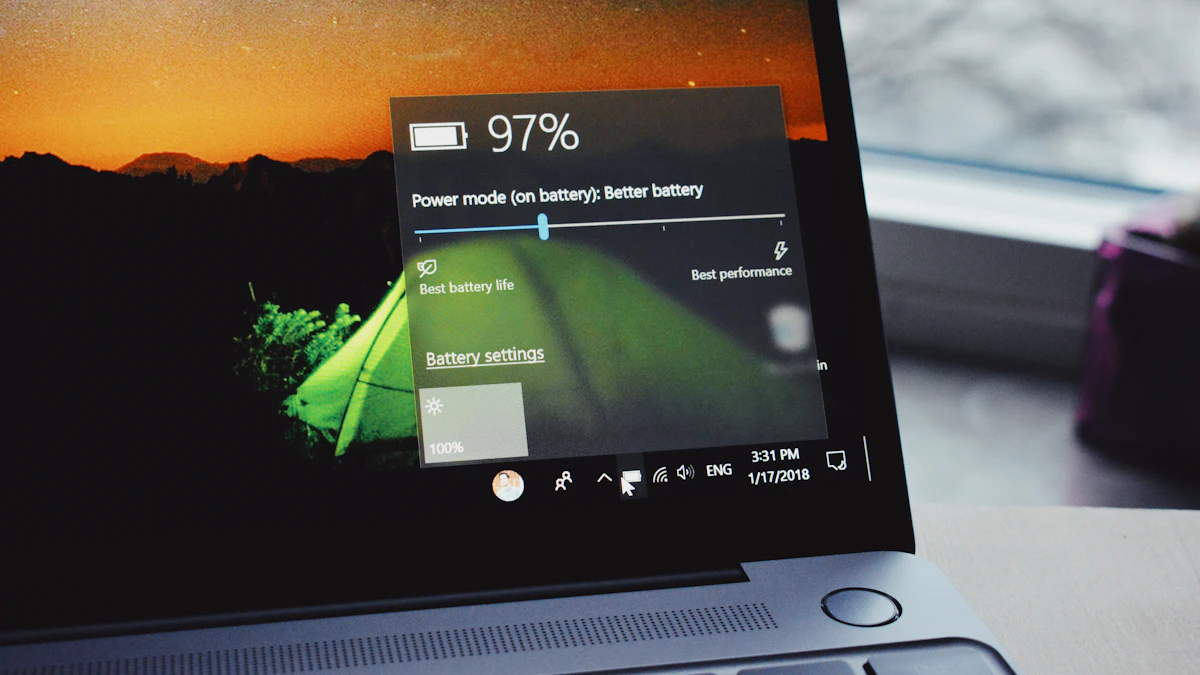
The battery is usually the first part to wear out, and it wears out in a predictable way. Apple's support page on battery cycle count for Mac laptops lists 1,000 cycles for its current Apple silicon models, including the M5 MacBook Air and the M5 and M6 MacBook Pro. Some older Intel models were rated at 500 or 300.
A charge cycle means using a full battery's worth of energy. That can happen in one long session or across several shorter ones, so topping up from 50 percent twice adds up to roughly one cycle.
To see your count on a Mac, hold the Option key, open the Apple menu and choose System Information. Then select Power in the sidebar and look under Battery Information. Windows makers such as Dell, HP and Lenovo use their own ratings, so check the support site for your exact model.
What 80 percent capacity means day to day
Reaching the cycle limit does not switch the battery off. Apple says its batteries are designed to retain up to 80 percent of their original capacity at the maximum cycle count, and it notes that this figure comes from testing under ideal conditions. Heat and heavy use can wear a battery faster.
In practice, a laptop that once lasted 10 hours away from the outlet would run for about 8 at that point. Many people barely notice. If you mostly work at a desk, a tired battery is a small problem. If you carry the laptop all day, it is often the first sign you need a fix.
A worn battery on its own is rarely a reason to replace the whole laptop. It is a repair, and that brings up the next numbers.
The 5, 7 and 10 year repair windows
Repairs keep a laptop going, but only while parts exist. Apple's page on service after an expired warranty lays out its rules plainly. A product becomes vintage once Apple stopped selling it more than 5 and less than 7 years ago. After 7 years it is obsolete.
Apple says it provides service for at least 5 years after it last sold a product, and up to 7 years when parts are available. Mac laptops get extra room for batteries, which may be repaired for up to 10 years after the product was last sold, again depending on parts.
Note the starting point. These clocks begin when Apple stops selling a model, not when you bought it. Buying a model soon after it launches gives you the most years inside these windows, while a model bought in its final months on sale gets the fewest.
The 10 year ChromeOS update window
Software support is the other limit, and for a Chromebook it has a firm end date. Google's Auto Update policy says ChromeOS devices receive 10 years of updates from the platform release date. The same page lists each model with an "Automatic updates until" date.
That date is counted from when the hardware platform was released, so a Chromebook bought new two years after launch has about 8 years left, not 10. Google also notes that some older devices getting extended updates may not support every feature. Look up the model by name on that page before you buy a used or discounted Chromebook.
Windows 10's end date and the Windows 11 cutoff
On Windows laptops, the operating system often decides the useful life more than the hardware does. Microsoft's Windows 10 end of support page says Windows 10 support ended on October 14, 2025. Home users can enroll in Extended Security Updates, which run until October 12, 2027.
Microsoft lists three ways to get those updates: at no extra cost if you sync your PC settings, by redeeming 1,000 Microsoft Rewards points, or with a one time purchase of $30 plus tax. After October 2027 a Windows 10 laptop still turns on and works, but it stops getting security fixes, which makes it a poor choice for banking, email and work accounts.
Whether you can move to Windows 11 depends on the hardware. Microsoft's minimums include 4 GB of RAM, 64 GB of storage, Secure Boot capable UEFI firmware, TPM 2.0 and a processor on its approved list. A laptop that misses these is near the end of its supported life on Windows, even if it still runs fine.
A worked example: when this laptop needs attention
Say you bought a MacBook Air rated for 1,000 cycles and use about 70 percent of the battery each weekday, with light use on weekends.
- Weekday use: 5 days × 0.7 cycles = 3.5 cycles a week.
- Add the weekends at roughly 0.25 cycles each: 3.5 + 0.5 = 4 cycles a week.
- Yearly total: 4 cycles × 52 weeks = 208 cycles a year.
- Time to the rated limit: 1,000 ÷ 208 = about 4.8 years.
So around year 5, the battery would likely hold close to 80 percent of its original charge. If Apple stopped selling that model in late 2026, it would turn vintage in late 2031 and obsolete in late 2033, and battery repairs could stay possible until about 2036 if parts last.
The math points to a simple plan: expect a battery replacement around year 5, not a new laptop. Replace the machine when the software support ends or when repairs are no longer offered, whichever comes first.
Signs it is time to replace, not repair
Numbers aside, a few situations make replacement the sensible call:
- The operating system no longer gets security updates, and the laptop cannot move to a supported version.
- The repair quote is close to the price of a new laptop with similar specs.
- The laptop cannot run the apps you need, even after a fresh reinstall.
- The maker no longer offers parts for the fault you have.
If you decide to buy, our guide on how to choose a laptop walks through the specs that affect lifespan, and MacBook vs Windows laptop compares how each platform handles long term support. Students on a budget can also look at our best laptop for college students picks, and Chromebook shoppers should read MacBook vs Chromebook before checking the update date. More laptop coverage lives in our gadgets section.
One final check before you shop: write down your current laptop's battery cycle count and its update end date today. Those two numbers tell you whether you have months or years left.
Sources
Share this story
Spotted an error? Tell us