Key takeaways
- Google says Pixel 8 and later phones get seven years of OS and security updates, while support on cheaper Android phones from smaller brands is often much shorter.
- Since iOS 18, iPhones can use RCS to text Android phones with high resolution media, read receipts and typing indicators, if the carrier supports it.
- Apple Watch has to be paired with an iPhone, so moving to Android means replacing the watch, and most paid apps do not carry over between stores.
In this story 9 sections
- Is iPhone or Android better for most people?
- Is iPhone or Android more secure?
- Is iPhone or Android cheaper?
- Can iPhone and Android users text each other properly now?
- Is iPhone or Android easier to use?
- How hard is it to switch from Android to iPhone?
- How hard is it to switch from iPhone to Android?
- Will my apps, subscriptions and watch come with me?
- Which has the better camera, iPhone or Android?
Picking between iPhone and Android comes down to three things: the devices you already own, how much you want to spend, and how much you like to tweak your phone. Specs matter far less than they used to. Both platforms run the same big apps, take good photos at most price points and get regular security fixes. The iPhone vs Android choice mostly decides which ecosystem you live in for the next several years, and how painful it would be to leave.
Below are the questions people actually search before they decide, answered one at a time. If you are already leaning toward a Samsung Galaxy, our iPhone vs Samsung comparison covers current models and prices in more detail.
Is iPhone or Android better for most people?
Neither is better for everyone, so the right pick is usually the one that matches the gear you already have. If your household runs on a Mac, an iPad or AirPods, the iPhone fits in with almost no setup. If you use Windows, Chromebooks or Google services for everything, Android tends to feel more natural.
A few quick rules of thumb help:
- Pick an iPhone if you want one consistent design, the same software on every model and tight links with other Apple devices.
- Pick Android if you want more choice in price, size, shape and brand, or you like changing launchers, default apps and how the home screen behaves.
- Stay where you are if you have years of paid apps, a watch or a family setup tied to one side. Switching is doable, but it is never free.
Is iPhone or Android more secure?
Both are secure when they are kept up to date, so the real question is how long your specific phone will keep getting fixes. That varies far more on Android, where every manufacturer sets its own policy.
Google is one of the clearest examples. Its Pixel update policy says Pixel 8 and later phones get seven years of OS and security updates, counted from when each model first went on sale on the Google Store in the US. Older models such as the Pixel 7 and Pixel 6 were promised five years. Cheaper Android phones from smaller brands often get much shorter support, so check the policy before you buy.
Apple ships updates to every supported iPhone at the same time, which keeps things simple. Whichever side you choose, most real world problems come from scam texts, fake apps and reused passwords rather than the operating system itself. Our guide to spotting signs your phone is hacked and our 10 minute account security checklist apply to both.
Is iPhone or Android cheaper?
Android is cheaper at the low end, because Android phones are sold at almost every price point while Apple's lineup starts at a higher floor. At the top end the gap closes, and flagship Android phones cost about as much as flagship iPhones.
The sticker price is only part of the cost. Think about how many years you will keep the phone and how long it will get updates. A low priced phone with a short support window can cost more per year than a pricier one you keep twice as long. Our guide on how to choose a smartphone walks through the other costs worth checking.
Can iPhone and Android users text each other properly now?
Yes, mostly. Since iOS 18, iPhones support RCS, the modern texting standard that Android phones use, as long as your carrier supports it on iPhone. Apple says RCS lets you send high resolution photos and videos and links, and supports delivery receipts, read receipts and typing indicators in mixed chats.
To check it is on, follow Apple's RCS messaging steps: open Settings, tap Apps, tap Messages, then tap RCS Messaging and turn it on. If the option is missing, your carrier may not offer it yet.
What still differs:
- Chats between iPhones use iMessage (blue bubbles), which Apple says is end to end encrypted.
- Chats with Android phones use RCS or SMS (green bubbles). Apple says RCS can be end to end encrypted only when every participant's carrier supports it, and it needs iOS 26.5 or later. Without the Encrypted label, assume the chat is not protected that way.
- FaceTime and iMessage effects stay Apple only.
Is iPhone or Android easier to use?
The iPhone is usually easier for people who want a phone that works the same way for years with few choices to make. Every model gets the same menus, and settings rarely move far between updates. That makes it a common pick for parents, grandparents and anyone who would rather not troubleshoot.
Android is easy too, but it varies by brand. A Pixel, a Galaxy and a budget phone from another maker can have different layouts, extra apps and their own settings names.
How hard is it to switch from Android to iPhone?
It takes an evening, not a weekend. Apple's Move to iOS guide describes the process: during iPhone setup you choose to transfer from Android, then use the Move to iOS app on the old phone and enter a code shown on the iPhone. Apple says some phones running Android 17 can transfer without the app.
Apple lists contacts, message history, photos and videos, calendars, call history, mail accounts, web bookmarks, WhatsApp chats and some settings as things that move across. Free apps that exist in both stores are matched for you. Music, books and PDFs have to be moved by hand.
Keep both phones plugged in and on Wi-Fi during the transfer. If you already finished setting up the iPhone, Apple says you need to erase it and start setup again to use the transfer.
How hard is it to switch from iPhone to Android?
It is about as easy in the other direction. Google's Switch to Android page describes two paths. On select Pixel and Samsung phones running Android 17, you scan a QR code with the old iPhone and copy data wirelessly. On other phones you use a cable or the Android Switch app.
The newer wireless path brings over the most, including call history, Wi-Fi networks, passwords and passkeys, and some app data. The cable method still covers contacts, photos, messages, calendars, notes, free apps and your home screen layout. Samsung owners can also use Smart Switch after setup.
One step people skip: turn off iMessage before you move your number. On the iPhone, go to Settings, then Apps, then Messages, and switch iMessage off. If you no longer have the iPhone, Apple's support page on deregistering iMessage explains how to remove your number online. Apple notes it can take a few hours for other Apple devices to stop sending you iMessages.
Will my apps, subscriptions and watch come with me?
Some will, some will not. Free apps that exist on both stores usually carry over. Paid apps generally do not, because the App Store and Google Play are separate. Subscriptions billed through Apple or Google need to be canceled on one side and restarted on the other. Google's switching page says to contact the developer about paid subscriptions.
Wearables are the bigger trap. Apple's setup guide says an Apple Watch has to be paired with an iPhone, so it will not work as a full smartwatch with an Android phone. If you own one, leaving the iPhone means replacing the watch too. Before you switch, it also helps to find and cancel forgotten subscriptions so you are not paying twice.
Which has the better camera, iPhone or Android?
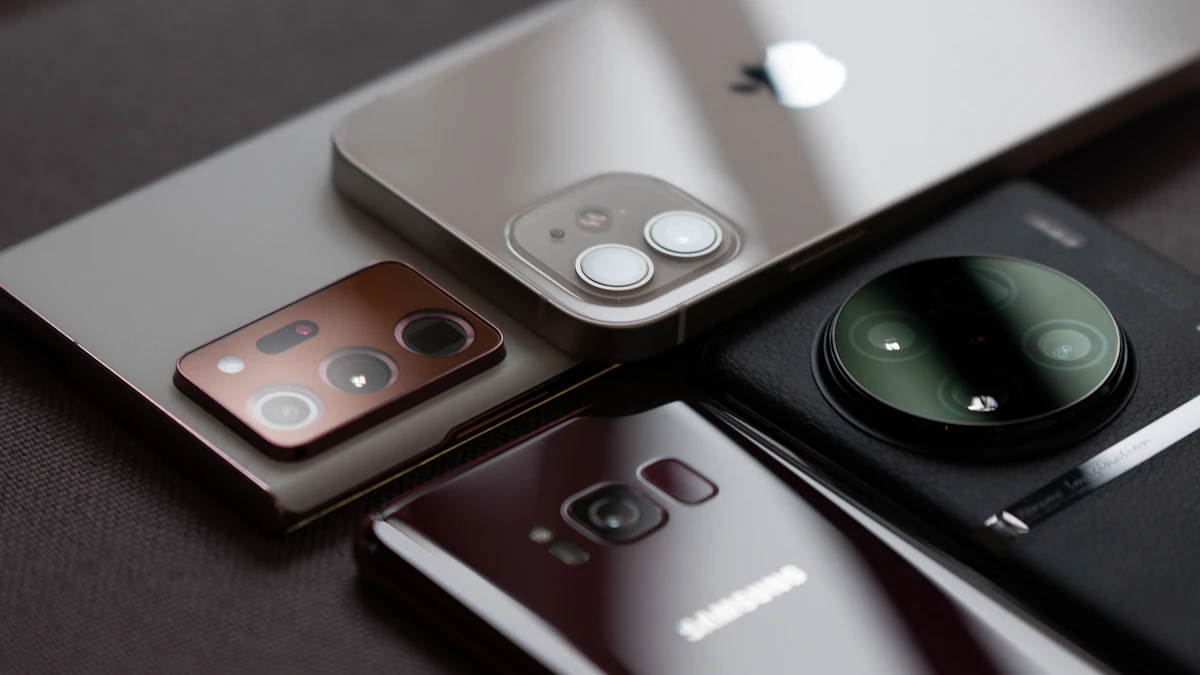
It depends on the model, not the platform. Top phones from Apple, Google and Samsung all take excellent photos, and reviewers often split on which one wins in a given test. Cheaper Android phones tend to fall behind in low light and zoom.
If photos matter most to you, compare full size sample shots of the exact models you are considering, especially indoor and night shots. That tells you more than megapixel counts.
Before you buy, list the devices and paid apps you rely on today. If most of them belong to one side, that is probably your answer. For more phone and gadget guides, browse our gadgets section.
Sources
- Google Pixel Help: Pixel update schedule
- Apple Support: Turn on RCS messaging on your iPhone
- Apple Support: Difference between iMessage, RCS and SMS/MMS
- Apple Support: Move from Android to iPhone or iPad
- Android: Switch to Android from iPhone
- Apple Support: Deregister iMessage
- Apple Watch User Guide: Pair and set up Apple Watch with iPhone
Share this story
Spotted an error? Tell us