Key takeaways
- Refurbished iPhone grades are not standardized, so read each seller's own definition and remember grades describe looks, not the battery or parts.
- Apple says its Certified Refurbished iPhones come with a new battery, a new outer shell and a one year limited warranty, which makes them a useful price benchmark.
- A phone that shows iPhone Locked to Owner or asks for the previous owner's Apple Account during setup is still linked to that person and should go back to the seller.
In this story 6 sections
A refurbished iPhone is worth it when three things line up: the seller gives you a real warranty, the battery is healthy or new, and the phone is not tied to someone else's Apple Account. Miss any one of those and the savings can disappear fast. This checklist walks through what to look for before you pay and what to do in the first days after the phone arrives.
The word "refurbished" has no single legal meaning in the US. Apple uses it for phones it restores itself, while marketplaces and small shops use it for anything from a carefully repaired device to a phone that was simply wiped and cleaned. So the label alone tells you very little. The seller's promises tell you a lot.
Red flags that should stop the purchase
- No written warranty, or a vague "tested and working" promise with no length stated.
- A return window shorter than two weeks, or returns only for "dead on arrival" units.
- The seller will not share the IMEI or serial number before you buy.
- The phone shows "iPhone Locked to Owner" or asks for the previous owner's Apple Account during setup.
- It arrives still showing a passcode Lock Screen or Home Screen with someone else's data on it.
- Battery Health below 80 percent with no mention of a replacement.
- "Unknown Part" messages in Settings that the seller never disclosed.
- Grades like A, B or C with no definition of what each one means for scratches, dents and screen marks.
- A price far below other refurbished listings for the same model and storage, especially paired with payment by gift card, wire or a payment app with no buyer protection.
How refurbished iPhone grades actually work
There is no industry standard for grades. Searches for "refurbished iPhone grade A vs B" are common because buyers assume the letters mean the same thing everywhere, and they do not. One seller's Grade B can look better than another's Grade A. Read the seller's own grade definition, and treat any listing that skips it as a gamble on cosmetics.
Grades usually describe only how the phone looks. They say nothing about the battery, the parts used in a repair or the lock status, which matter far more for daily use.
Checklist before you buy
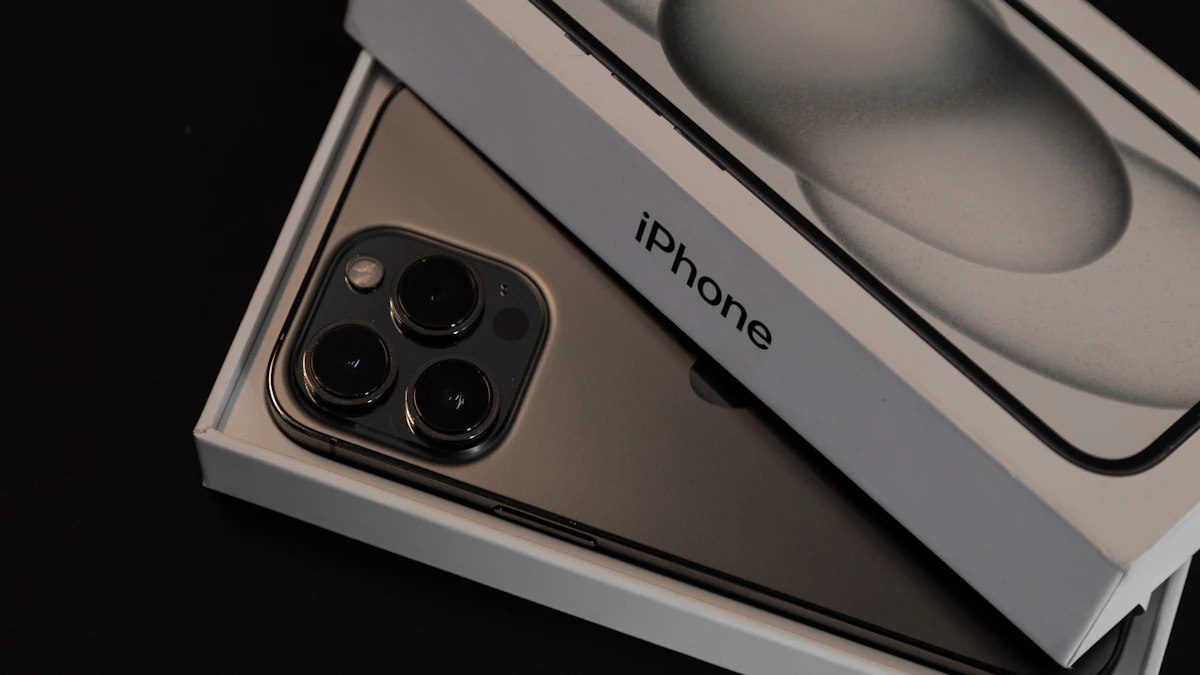
- Compare against Apple's own refurbished store first. Apple says its Certified Refurbished iPhones come with a new battery and new outer shell, genuine Apple replacement parts as needed, a fresh white box and Apple's standard one year limited warranty, plus free shipping and returns. On October 29, 2026, Apple listed an unlocked refurbished iPhone 15 Pro with 256GB at $759. That gives you a ceiling for what a third party seller should charge for a similar unit.
- Read the warranty length and who honors it. Back Market, for example, says its devices carry a 1 year limited warranty offered by the seller and valid for 12 months from delivery, with 30 days to return. It excludes drops, liquid damage and phones opened by an unauthorized repair shop. Look for those same exclusions anywhere you shop.
- Ask for the serial number and IMEI. Enter the serial at Apple's coverage checker (checkcoverage.apple.com) to confirm the model and any remaining Apple warranty or AppleCare. Enter the IMEI at the CTIA Stolen Phone Checker (stolenphonechecker.org), a US service that shows whether a device has been reported lost or stolen.
- Ask for a Battery Health screenshot if the battery is not new. On current iOS the path is Settings > Battery > Battery Health. Apple says iPhone 14 models and earlier are designed to keep 80 percent of original capacity at 500 complete charge cycles, and iPhone 15 models at 1000 cycles, under ideal conditions.
- Confirm it is unlocked or works with your carrier. "Unlocked" in the listing title matters. A carrier locked phone can be a cheap trap if you are on a different network.
- Pay with a credit card or a platform that offers buyer protection. That keeps a chargeback or claim on the table if the phone is not as described.
If you are still deciding between platforms, our guides on iPhone vs Android and how to choose a smartphone cover what to prioritize before you shop by price.
Checklist in the first hour after it arrives
- Turn it on and watch the first screen. According to Apple's Activation Lock guide, a phone that is ready for you shows the Hello screen. If you see "iPhone Locked to Owner," or setup asks for the previous owner's Apple Account, the phone is still linked to that person. Do not keep it.
- Check Parts and Service History. Go to Settings > General > About. Apple says this section appears only if the iPhone has been repaired. "Genuine" means Apple parts and processes were used. "Unknown" can mean a non-genuine part or a part that is not working as expected, and Apple notes it may affect trade-in value. "Used" means the part came from another iPhone.
- Check Battery Health again and compare it with what the listing promised.
- Test the basics. Make a call on speaker and earpiece, record a short video with every rear lens and the front camera, set up Face ID, charge with a cable, and check that cellular data and Wi-Fi both connect.
- Look closely at the screen on a white background and a dark one for dead pixels, tint or burn-in.
- Note the return deadline in your calendar so a problem found on day 20 does not become yours by default.
If anything about the phone's software seems off after setup, such as strange profiles or apps you did not install, our guide to checking whether a phone is hacked explains what to look for.
If the refurbished iPhone is locked, fake or not as described
Start with the seller, and keep everything in writing. Send photos or screenshots of the lock screen, the Parts and Service History page or the Battery Health reading, and ask for a refund or replacement within the return window.
If the phone is Activation Locked, Apple's guidance is to return it to the seller. When the previous owner is reachable, they can remove the device from their account using a web browser, but you should not hand over any of your own account details to make that happen.
When a seller ignores you or refuses a valid return:
- Open a claim with the marketplace you bought through. Most have a guarantee process separate from the seller.
- Dispute the charge with your card issuer and include your photos and messages.
- Report fraud to the FTC at ReportFraud.ftc.gov. The site can go offline during a federal government shutdown, so check back if it is unavailable.
- Report online scams to the FBI through the Internet Crime Complaint Center, especially if you paid by wire, gift card or crypto.
- Contact your state attorney general's consumer protection office for help with a local shop.
If the Stolen Phone Checker flags the IMEI as lost or stolen after purchase, stop using the phone, contact the seller and your payment provider, and keep your records.
A final check before you click buy
Read the listing one more time and ask a single question: if this phone fails in month eight, who fixes it, and how do I reach them? If the answer is clear, a refurbished iPhone can save you real money over buying new. If it is not, keep shopping. More phone buying help lives in our Gadgets section.
Sources
- Apple: Why Refurbished
- Apple Certified Refurbished iPhone
- Apple Support: Activation Lock for iPhone and iPad
- Apple Support: iPhone battery and performance
- Apple Support: iPhone Parts and Service History
- Apple Check Coverage
- CTIA Stolen Phone Checker
- Back Market: 1 year limited warranty
- FTC ReportFraud
- FBI Internet Crime Complaint Center
Share this story
Spotted an error? Tell us