Key takeaways
- An antenna that receives both VHF and UHF brings in free local broadcast channels with no monthly fee and no internet connection.
- Sling Orange and Sling Blue are listed at $45.99 a month, while the main YouTube TV plan costs $82.99 and Hulu + Live TV with Disney+ and ESPN Select costs $99.99.
- Pairing an antenna with Netflix Standard with ads costs $107.88 a year, about $1,128 less than YouTube TV plus ad free Netflix.
In this story 8 sections
- The $0 option: an antenna and free broadcast TV
- The other $0 option: free streaming apps
- $45.99: the cheapest full live TV bundles
- $82.99: YouTube TV's main plan
- $99.99: Hulu + Live TV
- $8.99 to $26.99: on demand streaming
- The number people forget: your internet bill
- A worked example: one household, three setups
Cable bills keep climbing, and plenty of people now ask a practical question: how to watch TV without cable and still pay less each month. The answer depends on a handful of numbers. Some of them are zero, some are close to what cable costs, and the gap between them is where your savings live. Here are the figures that matter, checked against official pricing pages in November 2026.
- $0 a month: local broadcast channels over the air with an antenna, plus free ad supported streaming apps.
- 2 bands: an antenna needs to pick up both VHF and UHF to catch every digital station, according to the FCC.
- $45.99 a month: the listed price of Sling Orange or Sling Blue, the cheapest full live TV packages from a major service.
- $82.99 a month: the regular price of the main YouTube TV plan, which covers up to 6 household accounts.
- $99.99 a month: Hulu + Live TV, which is now sold bundled with Disney+ and ESPN Select.
- $8.99 to $26.99 a month: the range of Netflix plans in the US, from Standard with ads to Premium.
The $0 option: an antenna and free broadcast TV
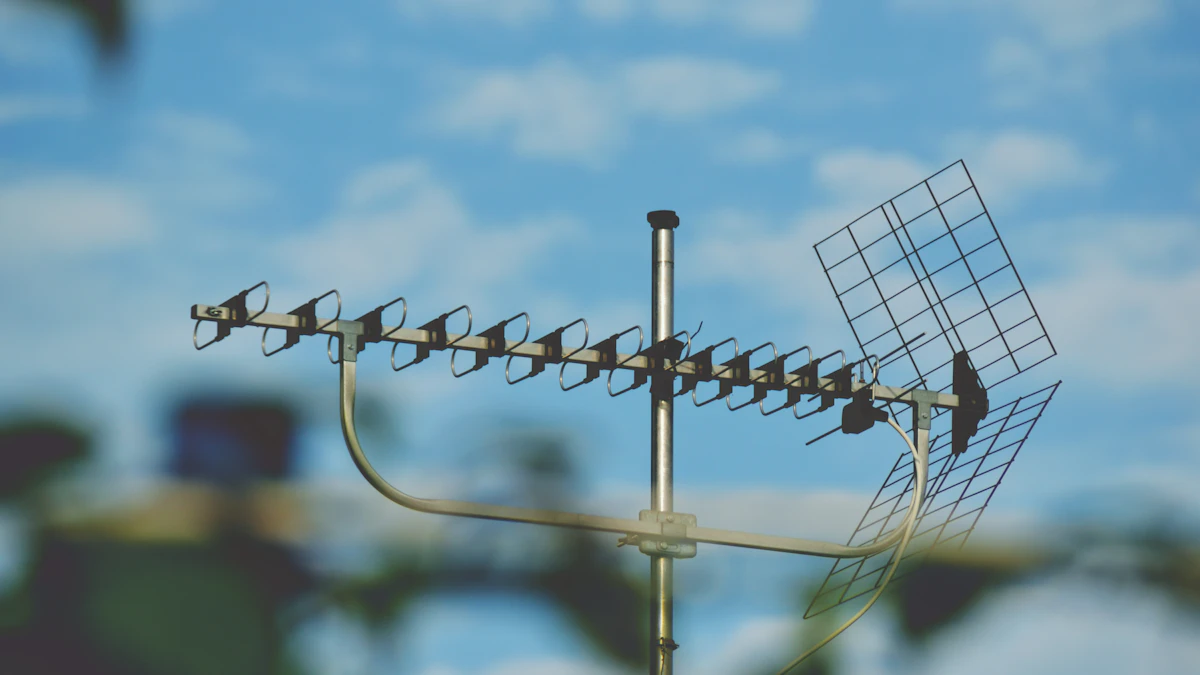
Local stations such as ABC, CBS, NBC, FOX and PBS affiliates still broadcast for free. If you have a TV and an antenna, you can watch them without any subscription at all. There is no monthly fee, just the one time cost of the antenna.
The FCC's guide to antennas and digital television explains the one technical detail that trips people up. Digital stations use two frequency bands: VHF (channels 2 to 13) and UHF (channels 14 to 51). An antenna that only handles one band can miss some of your local channels, so check the packaging for both.
How well an antenna works depends on how strong the signals are where you live:
- Strong signals: a simple indoor antenna is usually enough.
- Moderate signals: you may need a high quality indoor antenna or an outdoor one.
- Weak signals: plan on an outdoor antenna.
The FCC also notes that an outdoor antenna generally gets better reception than an indoor one, and that just moving your current antenna can improve things. After you move it, run a channel scan from your TV's settings menu so it finds the stations again. You can check which stations reach your address with the FCC's DTV Reception Maps before you buy anything.
This is also the answer to a common follow up question: how to watch TV without cable or internet. An antenna needs neither. It is the only option on this list that works with no broadband connection.
The other $0 option: free streaming apps
If you already have internet, you can add free ad supported channels on top of the antenna. Sling, for example, advertises more than 600 free live channels and a free DVR through its Freestream service, according to Sling's website. Other free apps work the same way: you get live style channels and on demand shows, and you sit through ads instead of paying.
These services rarely carry big live sports or the newest cable shows. Think of them as filler for background viewing, not a cable replacement on their own.
$45.99: the cheapest full live TV bundles
When you want cable channels like ESPN, CNN or HGTV without a cable contract, you move into live TV streaming. Sling is the lowest priced of the large services. Its site lists:
- Sling Orange: $45.99 a month, one stream at a time.
- Sling Blue: $45.99 a month, up to three streams at once.
- Sling Orange & Blue: $60.99 a month, up to four streams.
- Sling Select and Sling Essentials: starting at $19.99 a month for smaller channel sets.
Orange and Blue carry different channels, so the split matters. Look at the channel list for each before choosing, and remember that sports and news extras add more to the monthly price.
$82.99: YouTube TV's main plan
YouTube TV is the service most people compare everything else against. Google says it includes live TV from more than 100 broadcast, cable and regional sports channels and is available throughout the United States. The YouTube TV plans page lists the main plan at $82.99 a month for one membership with up to 6 household accounts.
The bigger change in 2026 is that YouTube TV now sells smaller genre plans too. Regular prices on that page include:
- Entertainment: $54.99 a month.
- News + Entertainment: $62.99 a month.
- Sports: $64.99 a month.
If you only watch one kind of TV, one of these can save you $18 to $28 a month compared with the full plan. Promotional prices come and go, so check the page for the current offer before you sign up.
$99.99: Hulu + Live TV
Hulu's live TV plan has become the priciest of the three big names. Hulu's sign up page lists Hulu + Live TV, Disney+ and ESPN Select together at $99.99 a month, with no free trial. PCWorld reported in November 2026 that Disney raised the price from about $90 to $100 this fall.
The bundle makes the most sense if you would pay for Disney+ anyway. Add ons stack on top: Hulu lists a Sports Add on at $9.99 a month and premium networks such as HBO Max at $10.99 a month.
$8.99 to $26.99: on demand streaming
Plenty of people who cut cable never pay for live TV at all. They pair an antenna with one or two on demand apps. According to the Netflix Help Center, US prices are:
- Standard with ads: $8.99 a month, 2 devices at a time, 1080p.
- Standard: $19.99 a month, no ads, 2 devices, 1080p.
- Premium: $26.99 a month, no ads, 4 devices, 4K and HDR.
Netflix bills monthly and does not sell annual plans, and taxes may apply depending on where you live. That monthly billing is useful: you can cancel when you run out of shows and come back later.
The number people forget: your internet bill
Every streaming option above runs over home internet. If you drop a cable TV and internet bundle, your internet price may go up once it stands alone, so ask your provider for the internet only rate before you cancel. If you are shopping for a new connection, our comparison of fiber vs cable vs 5G home internet explains the tradeoffs. It also helps to check your internet speed so you know whether your plan can handle several streams at once, and to consider Ethernet vs WiFi for the TV that gets the most use.
A worked example: one household, three setups
Say a family watches local news, a few network shows, some cable channels and one streaming series at a time. Here is what three realistic setups cost per month, leaving out the internet bill they already pay.
Setup 1, antenna plus Netflix with ads:
- Antenna: $0 a month after purchase
- Netflix Standard with ads: $8.99
- Total: $8.99 a month, or $8.99 × 12 = $107.88 a year
Setup 2, Sling Blue plus Netflix with ads:
- Sling Blue: $45.99
- Netflix Standard with ads: $8.99
- Total: $45.99 + $8.99 = $54.98 a month, or $54.98 × 12 = $659.76 a year
Setup 3, YouTube TV plus Netflix Standard:
- YouTube TV main plan: $82.99
- Netflix Standard: $19.99
- Total: $82.99 + $19.99 = $102.98 a month, or $102.98 × 12 = $1,235.76 a year
The difference between the first and third setup is $1,235.76 minus $107.88 = $1,127.88 a year. That is the price of live cable channels, ad free streaming and multiple accounts. For some households it is worth it. For others, the antenna and one cheap app cover almost everything they actually watch.
Before you pick, write down the five channels or shows you would miss most, then find the cheapest setup that carries all five. That list does more to cut your bill than any single service. Prices change often, so recheck each provider's official page the week you switch. For more guides like this, browse our tech section.
Sources
Share this story
Spotted an error? Tell us