Key takeaways
- Fiber is the best pick when it is available, because many fiber plans offer upload speeds that match the download speed.
- Cable internet reaches the most US homes and delivers fast downloads, but uploads are much slower and shared bandwidth can dip at busy hours.
- 5G home internet is easy to set up and often cheaper, though T-Mobile says home internet users may see lower speeds during network congestion.
In this story 6 sections
If you can get fiber at your address, pick fiber. In the fiber vs cable internet debate, fiber wins on upload speed and consistency, and it usually costs about the same as a comparable cable plan. Cable is the safe, widely available middle choice. 5G home internet is the one to try when you want a cheap, no installer setup and the signal at your home is strong, but it is the least predictable of the three.
That is the short version. The longer one depends on what you do online, how many people share the connection, and which of these services actually reach your street. Availability is the first filter, because none of this matters if only one option shows up when you type in your address.
How fiber, cable and 5G home internet differ
- What carries the signal: fiber uses pulses of light through glass strands, cable uses the same coaxial line as cable TV, and 5G home internet uses radio signals from a nearby cell tower to a gateway inside your home.
- Upload speed: many fiber plans are symmetrical (upload matches download). Cable and 5G uploads are much lower than their downloads.
- Consistency: fiber holds steady. Cable bandwidth is shared with neighbors and can dip at busy hours. 5G depends on signal strength and how many people use the same tower.
- Setup: fiber and cable often need a line run to the house or an installer visit. 5G home internet is usually a box you plug in yourself.
- Availability: cable reaches the most homes. Fiber is growing but patchy. 5G home internet is offered address by address, even within the same neighborhood.
The scale gap is real. A Congressional Research Service primer on fixed broadband, citing FCC data from the end of 2021, counted about 71.8 million residential cable connections against about 24.2 million fiber connections. Cable is still the default in most of the country, which is why so many people end up comparing these two.
Fiber internet
Fiber runs glass strands to your home and sends data as light. The FCC is strict about what counts: in its broadband mapping system, the fiber to the premises category covers lines that reach the home or business itself and does not include "fiber to the curb." That matters, because some providers market a hybrid network with the word fiber in the name.
Where fiber is strong
- Uploads that match downloads. The CRS primer lists advertised fiber speeds of 250 to 1,000 Mbps in both directions, and many providers now sell multi gig tiers on top of that. If you back up photos to the cloud, stream on Twitch, or sit on video calls all day, this is the biggest practical difference you will feel.
- Steady performance. AT&T, which sells both fiber and wireless service, describes fiber as typically the fastest and most reliable option and notes that buried lines are less exposed to weather.
- Room to grow. A gig plan today leaves plenty of headroom for a busy household, and you rarely need to think about it again.
Where fiber falls short
- You may not be able to get it. Coverage is expanding but uneven, and two houses on the same block can have different options.
- Installation can take time. A new fiber drop sometimes means a technician visit and a wait for an appointment.
- Your Wi-Fi can become the bottleneck. A gig line does not help much if your router is old. Our list of the best routers for fiber internet matches hardware to plan speeds.
Cable internet
Cable internet travels over coaxial cable, usually on a hybrid network where fiber carries traffic most of the way and coax covers the last stretch to your home. Your modem talks to that line and a router spreads it around the house. If the difference between those two boxes is fuzzy, see modem vs router.
Where cable is strong
- It is almost everywhere. If you live in a town or suburb, there is a good chance a cable provider serves your address.
- Fast downloads. AT&T's own overview puts typical cable speeds at around 100 Mbps up to the gigabit range, which covers streaming, gaming and remote work for most homes.
- Known quantity. Cable is mature, and equipment, support and self install kits are easy to find.
Where cable falls short
- Slow uploads. The CRS primer's advertised ranges show cable download speeds far above upload speeds, and AT&T notes that cable uploads can be slow for large files or live streaming.
- Shared bandwidth. Homes in a neighborhood share capacity, so speeds can sag in the evening when everyone streams at once.
- Price creep. Many cable plans start with a promotional rate that rises later. Read the plan label before you sign.
5G home internet
5G home internet, which the FCC files under licensed fixed wireless, puts a gateway in your home that connects to nearby cell towers and turns that signal into Wi-Fi. T-Mobile, Verizon and AT&T all sell it, and setup is usually plug in and go.
Where 5G home internet is strong
- Easy setup. T-Mobile says its self install takes 15 minutes or less, with no technician and no digging.
- Decent speeds where coverage is good. T-Mobile's published performance figures list typical downloads of 170 to 498 Mbps and typical latency of 16 to 28 ms on its higher plans. Those ranges are based on roughly the middle half of network tests, so a quarter of customers see less.
- Simple pricing. T-Mobile's plans ran $50 to $70 a month with AutoPay as of November 2026, and the major carriers bundle discounts with phone lines.
Where 5G home internet falls short
- Uploads are modest. T-Mobile lists typical uploads of 12 to 55 Mbps, far below a symmetrical fiber plan.
- It slows down when the network is busy. T-Mobile's plan disclosure says home internet customers may see lower speeds than other customers during congestion, with a further reduction past 1.2 TB in a month.
- Your spot matters. Signal strength, distance to the tower and the walls in your home all affect results. Two neighbors can get very different speeds.
Which internet type fits your household
Gamers. Fiber first. Low, steady latency and a fast upload help when you are on voice chat while someone else streams. Cable is fine for most players. 5G can work, but its swings make it the riskiest pick for competitive play. A wired connection to your console helps on any of them, and Ethernet vs WiFi explains when the cable is worth it.
Remote workers and creators. Fiber, because upload speed is what makes video calls and file uploads feel instant. If fiber is not offered, a cable plan with the highest upload tier you can afford is the next best thing.
Renters and people who move often. 5G home internet. No installer, no long contract on most plans, and the gateway goes with you if service is offered at the new address.
Light users and tight budgets. 5G home internet or a basic cable tier. If you mainly stream and browse, either is plenty, and 5G often wins on price.
Big households with many devices. Fiber if you can get it, otherwise a fast cable plan. 5G can struggle when many people pull heavy traffic at the same time.
Rural homes with no wired option. Check 5G coverage first, then look at satellite. Our guide to satellite internet covers what to check before you buy.
How to compare real plans at your address
- Enter your address on each provider's site, including any apartment or unit number. 5G home internet in particular is approved per address.
- Open each plan's broadband label. Under FCC rules, providers must show the price, fees, contract terms and the typical upload speed, download speed and latency, as the FCC broadband labels fact sheet summarizes.
- Compare typical upload speeds, not just download. That is where fiber pulls ahead.
- Check what happens after any promo period ends, and whether equipment costs extra.
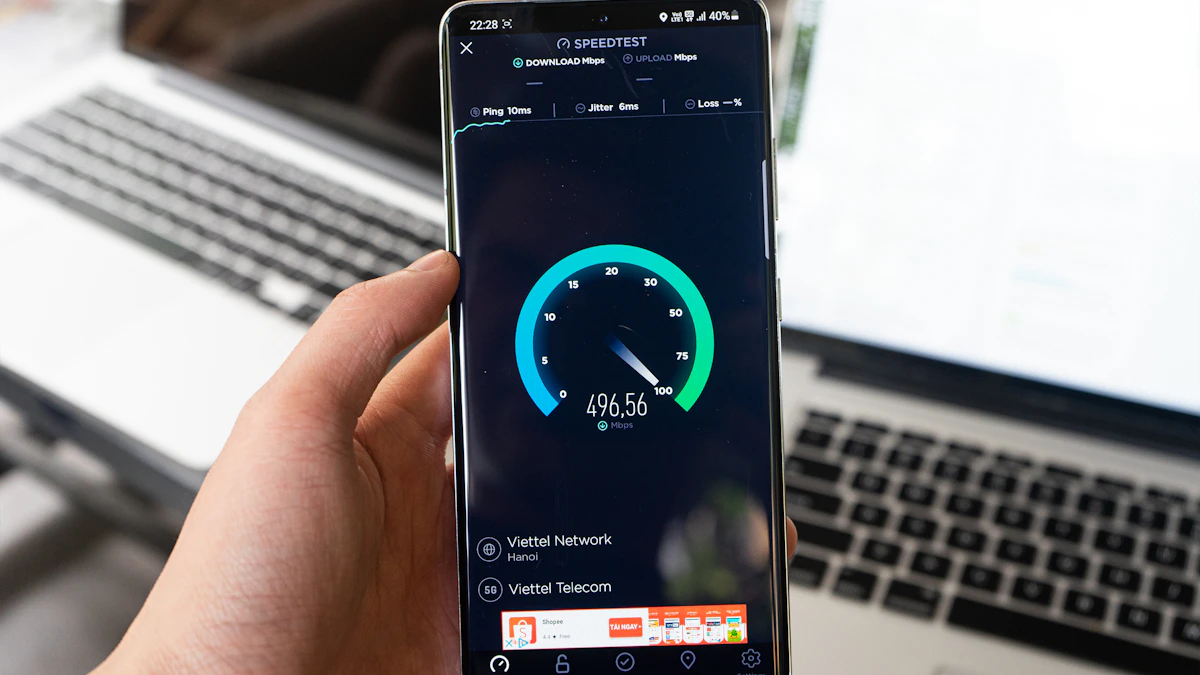
- After you switch, run a few internet speed tests at different times of day, including the evening.
One last check before you commit: ask your neighbors what they actually get. A provider's typical range is an average across many homes, and the people on your street are the best predictor of yours. For more guides like this one, browse our tech section.
Sources
- Congressional Research Service: Fixed Technologies Used to Deliver Broadband Service
- FCC Broadband Data Collection: Fixed Technology Codes
- T-Mobile: Expected Internet Speeds and Performance Metrics
- T-Mobile: How Does 5G Home Internet Work?
- AT&T: Types of Internet Connections
- FCC Fact Sheet: Broadband Labels
Share this story
Spotted an error? Tell us