Key takeaways
- Ookla data for the first half of 2026 puts the median US Starlink download near 120 Mbps, so coverage and settings matter more than a multi gig router.
- A Gen 3 Starlink router accepts a third party router on Ethernet port 1 or 2, while a Gen 2 router needs Starlink's Ethernet Adapter first.
- Bypass mode lets your own router take over Wi-Fi and avoids double NAT, but Starlink says a factory reset is required to turn it off again.
In this story 9 sections
- How we chose these Starlink routers
- How a third party router connects to Starlink
- Best for staying in the Starlink app: Starlink Router Mini as a mesh node
- Best budget mesh for larger homes: eero 6+
- Best Wi-Fi 7 mesh for future speed gains: eero 7
- Best for gamers and VPN users: ASUS RT-BE58U
- Best for Starlink Mini, RVs and cabins: GL.iNet Beryl AX (GL-MT3000)
- Routers to skip with Starlink
- Quick buying checklist
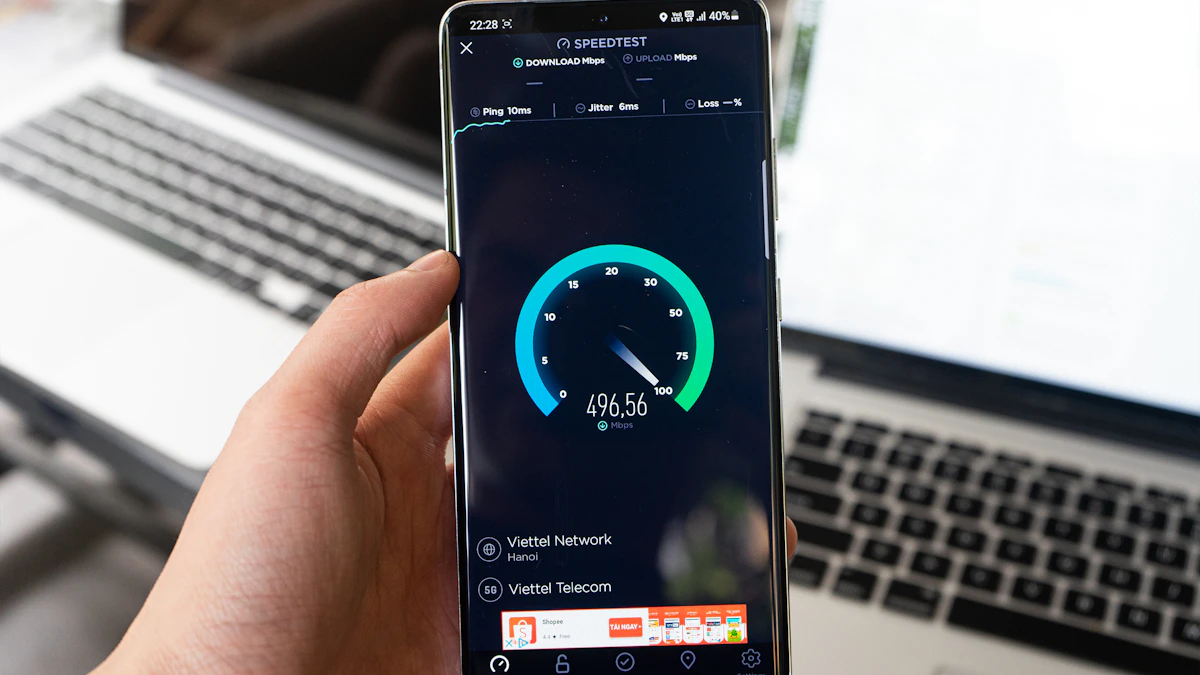
Most people shopping for the best router for Starlink do not need a fast router so much as a smarter one. Ookla's report for the first half of 2026 put the median US Starlink download at about 120 Mbps and the median upload near 21 Mbps, according to Light Reading. That is far below what a 1 gigabit router port can carry. So the real problems a new router solves are coverage, control and wired ports, not raw speed.
Below are five picks matched to the situations Starlink owners actually run into: a big house with dead zones, a gamer who wants port settings, a family that just wants more rooms covered, and an RV or cabin running a Starlink Mini. If you are still deciding whether satellite service suits you at all, start with our satellite internet explainer.
How we chose these Starlink routers
We did not test these routers ourselves. The picks are based on maker spec pages and US store prices read in November 2026, Starlink's own setup guide, and independent coverage from DishyTech, a site that tracks Starlink hardware closely. We looked for three things: easy setup behind a Starlink router in bypass mode, enough coverage for typical US homes, and models currently on sale in the US. We left new TP-Link models off the list because a 2026 FCC rule has slowed approval of foreign made routers; our report on the TP-Link router ban covers what that means if you already own one. Prices move a lot around Black Friday, so treat every figure as a snapshot.
How a third party router connects to Starlink
The steps depend on which Starlink kit you have, so check this before you buy anything.
- Gen 3 router (Standard kit): Starlink's Gen 3 router setup guide shows two extra RJ45 Ethernet ports under a cover on the back. You plug your own router into port 1 or 2.
- Gen 2 router: it has no Ethernet port of its own, so you need Starlink's Ethernet Adapter between the Starlink system and your router's WAN port, as NETGEAR's Starlink guide also notes.
- Bypass mode: in the Starlink app you can bypass the Starlink router so your own router handles Wi-Fi and routing. This avoids double NAT, where two routers each hand out addresses and can trip up gaming and port forwarding. Starlink's guide warns that a factory reset is required to exit bypass mode, and the router light turns violet while bypass is active.
- Starlink Mini: the Mini has its own router built in, and Starlink keeps a separate help center article on using your own router with the Mini. Read it before buying a travel router.
Best for staying in the Starlink app: Starlink Router Mini as a mesh node
Who it is for: people who like the Starlink router and only need Wi-Fi to reach one more room or a detached garage.
Why it fits: you skip bypass mode entirely. DishyTech reports that the Router Mini pairs with Gen 2 and Gen 3 Starlink routers as a wired or wireless mesh node, uses dual band Wi-Fi 6, has one WAN and one LAN port, and is rated by Starlink for about 1,300 square feet. Starlink recommends no more than three extra mesh nodes on one system, per the same review.
Downsides: settings are basic. DishyTech notes there is no port forwarding, no firewall rules and no static IP options, and the Router Mini does not work with third party mesh systems. It also does not support the original Gen 1 Starlink router.
Price at the time of writing (November 2026): DishyTech reported a $40 price in the Starlink shop. Starlink has changed its router prices several times, so check the shop in the app before ordering.
Best budget mesh for larger homes: eero 6+
Who it is for: a ranch house or two story home where the Starlink router sits at one end and the bedrooms at the other.
Why it fits: eero says a router plus two eero 6+ extenders covers up to 4,500 square feet and supports more than 250 devices. Its wireless speed is rated up to 940 Mbps and its router has two gigabit Ethernet ports. Those are modest numbers, yet they still sit well above typical Starlink speeds, so you are not leaving performance on the table. Not sure whether mesh is worth it over a plug in booster? Our guide to mesh WiFi vs an extender walks through it.
Downsides: the extenders have no Ethernet ports, so you cannot wire a TV or console to a far node. Extras such as eero's VPN come with the optional eero Plus subscription. It is Wi-Fi 6, not Wi-Fi 7.
Price at the time of writing (November 2026): on the eero 6+ product page, $94.99 for one unit, $159.99 for a 2 pack and $199.99 for a 3 pack, all marked down from list.
Best Wi-Fi 7 mesh for future speed gains: eero 7
Who it is for: buyers who want something that will still feel current if Starlink speeds keep climbing, or who plan to move to fiber later.
Why it fits: each eero 7 unit has two auto sensing 2.5 GbE ports, Wi-Fi 7, coverage of about 2,000 square feet and support for 120 or more devices, according to eero. It also includes a smart home hub for Thread, Zigbee and Matter, which is handy in a rural home full of sensors and cameras. If you do switch providers, our best router for fiber internet guide shows how the eero 7 fits faster plans.
Downsides: two Ethernet ports means one goes to Starlink and one is left for you, so a wired desk setup will need a switch. Like the 6+, the VPN and extra controls come with eero Plus.
Price at the time of writing (November 2026): $139.99 for one unit, $229.99 for a 2 pack and $319.99 for a 3 pack on eero.com, again shown as sale pricing.
Best for gamers and VPN users: ASUS RT-BE58U
Who it is for: someone who wants port forwarding, a VPN on the router itself and full control over settings, all without paying a subscription.
Why it fits: the ASUS RT-BE58U tech specs list Wi-Fi 7, one 2.5G WAN/LAN port, one 1G WAN/LAN port and three more gigabit LAN ports, so you get five Ethernet ports in a single box. ASUS also lists VPN client support for WireGuard and OpenVPN, a built in VPN server, and AiMesh, which lets you add another ASUS router later. Put the Starlink router in bypass mode and this becomes the one place you manage everything. Gamers who want more power can look at our best router for gaming picks.
Downsides: it is dual band, with no 6 GHz radio, which is where Wi-Fi 7 phones and laptops gain the most. One router will not cover a large house on its own, and the ASUS app has far more menus than eero's.
Price at the time of writing (November 2026): ASUS does not show a price on its spec page. Recent US deal listings, including Slickdeals, put it between about $110 and $140.
Best for Starlink Mini, RVs and cabins: GL.iNet Beryl AX (GL-MT3000)
Who it is for: campers, van lifers and weekend cabin owners who want their own network that travels with them.
Why it fits: GL.iNet lists a 2.5G WAN port, a gigabit LAN port, Wi-Fi 6 and USB-C power, so it can run from a USB-C power bank on the road. It comes with OpenVPN and WireGuard installed, with WireGuard client speeds up to 300 Mbps by GL.iNet's figure, which comfortably exceeds typical Starlink speeds. It also has a USB 3.0 port for shared storage.
Downsides: it is a travel router, so range is limited and it is not meant to cover a whole house. There is only one LAN port.
Price at the time of writing (November 2026): $98.99 on the GL.iNet Beryl AX page, plus sales tax for US orders.
Routers to skip with Starlink
- Anything with a built in cable modem. Starlink hands your router an Ethernet connection, so the modem part is wasted money.
- Pricey 10 gig routers. With median Starlink downloads near 120 Mbps, a multi gig WAN port does nothing for you today.
- Third party mesh if you refuse to use bypass mode. Running a mesh behind the Starlink router without bypass creates double NAT, which can break some games and remote camera apps.
- Old routers that no longer get firmware updates. A rural network still faces the same attacks as a city one.
Quick buying checklist
- Confirm your kit: Gen 3, Gen 2 (needs the Ethernet Adapter) or Mini.
- Decide whether you can live with Starlink's basic settings. If yes, a Router Mini node may be enough.
- Count rooms and floors, then match coverage claims to your square footage.
- Count wired devices. Two port mesh units fill up fast.
- Plan for bypass mode, and remember it takes a factory reset to undo.
- Check the price on the day you buy, since holiday sales shift it weekly.
One final check before you unbox anything: run a wired speed test at the Starlink router first. If that number is already low, no router will fix it, because the issue sits upstream of your Wi-Fi, so start with the dish and the Starlink app instead. More home network guides live in our tech section.
Sources
- Starlink Gen 3 Router Setup Guide
- Starlink Help Center: Using your own router with Starlink Mini
- NETGEAR: Best Router for Starlink
- Light Reading: Starlink gets faster (Ookla H1 2026 data)
- DishyTech: Starlink Router Mini review
- DishyTech: Router Mini launch and pricing
- eero 6+ product page
- eero 7 product page
- ASUS RT-BE58U tech specs
- Slickdeals: ASUS RT-BE58U deal
- GL.iNet Beryl AX (GL-MT3000)
Share this story
Spotted an error? Tell us