Key takeaways
- 5G UW means your Verizon phone is connected to 5G Ultra Wideband, which runs on mid band C-band and high band mmWave spectrum rather than the low band used for plain 5G.
- T-Mobile's 5G UC and AT&T's 5G+ icons mark the same faster tier on their own networks, while a plain 5G icon on any of the three carriers points to the low band layer.
- On an iPhone, Settings > Cellular > Cellular Data Options > Voice & Data lets you pick 5G Auto, 5G On or LTE, and Apple says 5G Auto balances speed with battery life.
In this story 5 sections
5G UW is the icon Verizon phones show when they are connected to 5G Ultra Wideband, the carrier's faster 5G network built on mid band (C-band) and high band (mmWave) spectrum. So if you are wondering what is 5G UW on your phone, the short answer is: you are on the better slice of Verizon's 5G, not the basic version. T-Mobile and AT&T have their own labels for the same idea, which is why a friend on another carrier might see 5G UC or 5G+ instead.
How 5G UW Works, Explained With Roads
Carriers run 5G on several kinds of radio spectrum, and each behaves differently. Think of them as three kinds of roads.
- Low band is the long country highway. It reaches far and gets through walls, but it does not carry much traffic at high speed. Verizon says its plain 5G uses low band spectrum with performance "comparable to" its 4G LTE.
- Mid band (Verizon's C-band) is the busy city boulevard. Verizon's own explainer describes C-band as a middle distance runner: faster than low band, with wider coverage than mmWave.
- High band, or mmWave, is a short multi lane expressway. It can move huge amounts of data, but Verizon notes it has limited range and does not get through buildings or other solid objects the way lower bands can.
According to Verizon's 5G FAQ, 5G Ultra Wideband runs on both high band (mmWave) and mid band (C-band) spectrum. When your phone is on either of those, it shows 5G UW. When it falls back to the low band layer, you see a plain 5G icon.
What 5G UC and 5G+ Mean Compared With 5G UW
The three icons describe roughly the same tier on three different networks. Here is how each carrier defines its version.
- 5G UW (Verizon): 5G Ultra Wideband, built on C-band mid band and mmWave high band.
- 5G UC (T-Mobile): Ultra Capacity 5G. T-Mobile's 5G availability page says it includes the carrier's mid band and/or mmWave 5G. T-Mobile calls its low band layer Extended Range 5G, which shows as plain 5G.
- 5G+ (AT&T): AT&T describes 5G+ as running on mid band spectrum nationwide and on high band spectrum in busy places like stadiums and airports. Its plain 5G runs on low band.
So 5G UW vs 5G UC is not a contest of better technology. Both mean "you are on this carrier's faster 5G layer." How fast that actually is depends on the tower, the band, how many people share it, and where you are standing.
You might also spot 5GA on newer iPhones. Apple's 5G support page groups 5G+, 5G UW, 5G UC and 5GA together as signs that your carrier's higher tier network is available.
Where You Will See the 5G UW Icon
You will usually spot it in the status bar, next to the signal bars. On an iPhone, Apple says the icon appears based on how the carrier configured its network, and "in rare cases, may appear even when 5G coverage isn't available." In other words, the icon is a strong hint, not a guarantee.
You will see it most often in cities and suburbs where Verizon has built out C-band. The mmWave flavor tends to show up in very specific spots: arenas, airports, and dense downtown blocks. Walk inside a building or around a corner and it can drop back to plain 5G or LTE within seconds. That flicker is normal.
A few things have to line up before the icon appears at all:
- A compatible phone. Verizon says some devices need a software update for Ultra Wideband mid band support.
- The right plan. Verizon lists 5G Ultra Wideband as included with plans such as Unlimited Ultimate, Unlimited Plus and select prepaid plans. Some older plans included it as a paid add on, so check your plan details if you never see UW.
- Coverage where you are. The Verizon coverage map shows where 5G Ultra Wideband is offered.
- A US iPhone, if you use one. Apple notes that higher frequency 5G networks are supported only in the United States on iPhones bought in the US.
If you are setting up a new line or switching carriers, our guide on what an eSIM is covers how activation works on most current phones.
Limits and Common Myths About 5G UW
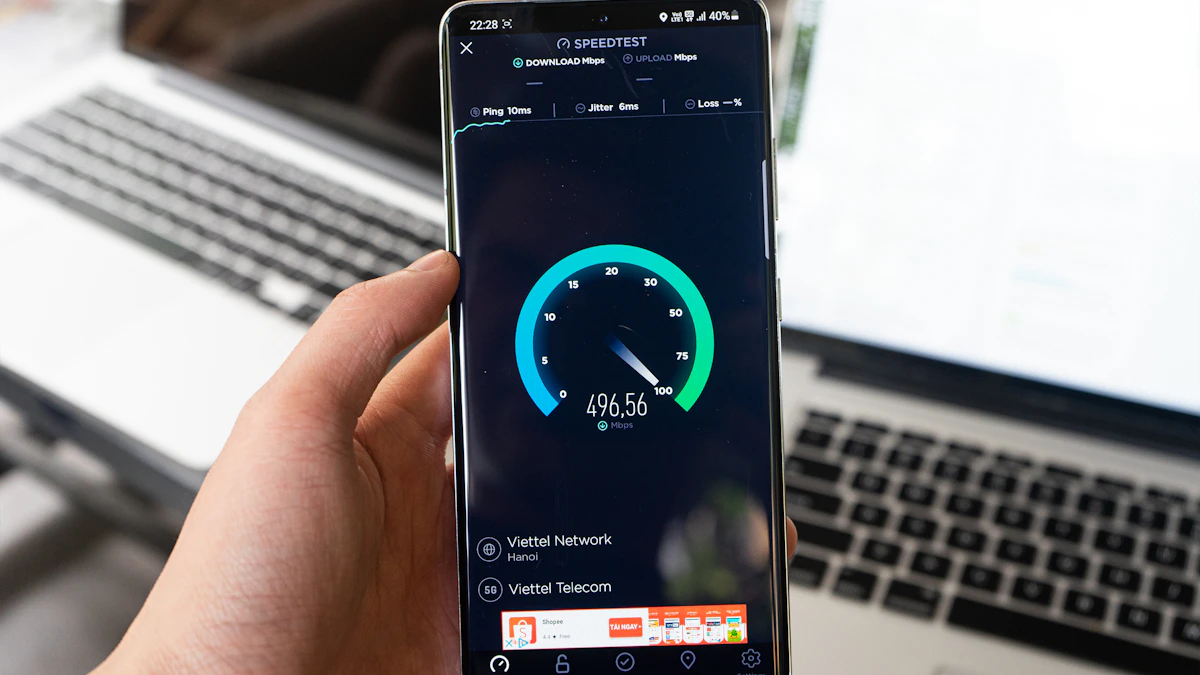
Myth: 5G UW always means gigabit speeds. Verizon has said C-band could peak around a gigabit, but peak is the key word. Real speeds swing with congestion and signal strength. The only way to know what you are getting is to check your internet speed on cellular data in that spot.
Myth: 5G UW is a different phone feature you turn on. It is a network, not a setting. Your phone reports it when it connects; there is no UW toggle.
Myth: 5G UW is the same as UWB. Ultra Wideband radio on phones (the chip that helps you find AirTags or unlock some cars) is a separate short range technology. The two are unrelated.
Myth: LTE is now useless. Plain LTE is still solid for calls, messaging, maps and most streaming.
Limit: battery. Apple says that keeping 5G on all the time "might reduce battery life," which is why iPhones default to an automatic mode.
What to Do With This Knowledge
On an iPhone, go to Settings > Cellular > Cellular Data Options > Voice & Data (on some phones the labels say Mobile Data instead). Apple lists three choices:
- 5G Auto turns on Smart Data mode, which switches to LTE when 5G would not make a noticeable difference, saving battery.
- 5G On always uses 5G when it is available, which might cost you more battery.
- LTE uses only LTE, even when 5G is around.
5G Auto is the sensible default for most people. Switch to 5G On only if you regularly need big downloads in a spot where you know UW is strong. Under Data Mode in the same menu, "Allow More Data on 5G" lets your phone use more cellular data for features that benefit from it, so skip it if your plan has a cap.
On Android phones, the menu wording differs by brand, but you will usually find the preferred network type under the SIM or mobile network settings.
If your connection is slow even with the UW icon showing, the problem may not be the band at all. Our walkthrough on why your internet is so slow covers the usual suspects, and the satellite internet explainer is useful if you live where none of these 5G tiers reach. More connectivity guides live in our Tech section.
One last check worth making: next time you are somewhere with poor indoor service, glance at the icon before blaming your phone. If it reads LTE or plain 5G, you are simply on the long country road, and stepping closer to a window is often enough to get back on the boulevard.
Sources
Share this story
Spotted an error? Tell us