Key takeaways
- Check phone compatibility before anything else.
- Battery life decides whether sleep tracking is practical.
- Skip LTE and premium cases unless you will really use them.
A smartwatch sits on your body for most of the day, so a bad choice gets noticed fast. The strap rubs, the battery dies before dinner, or half the features refuse to work with your phone. Learning how to choose a smartwatch is mostly about avoiding those three problems. The spec sheet matters less than you think, and the right answer depends far more on your phone, your wrist and your routine than on whatever is newest.
This guide covers what to check first, which features earn their place, who each kind of watch suits, what you can safely skip and where the real savings are.
How to choose a smartwatch: start with your phone
The single biggest factor is the phone in your pocket. Smartwatches are companions, and the deepest features depend on the pairing.
- iPhone owners: Apple's own watch works only with iPhone, and it is the option that ties most closely into iOS for messages, payments and notifications. Some watches from other brands also pair with iPhone, but replying to messages and other two way features are often limited.
- Android owners: you have the widest choice, from watches running Google's Wear OS to brands with their own software. Watches made by your phone's maker sometimes get extra features, so check the product page for any "works best with" fine print.
- Switching soon? If you might change phone platforms in the next couple of years, a watch from a fitness brand that supports both platforms will survive the move better than one locked to a single ecosystem.
Before you buy, open the watch's official compatibility page and confirm your exact phone model and software version are listed. It takes two minutes and saves a return.
Decide what kind of watch you want
Smartwatches have split into a few clear types. Pick the type first and the shortlist gets much shorter.
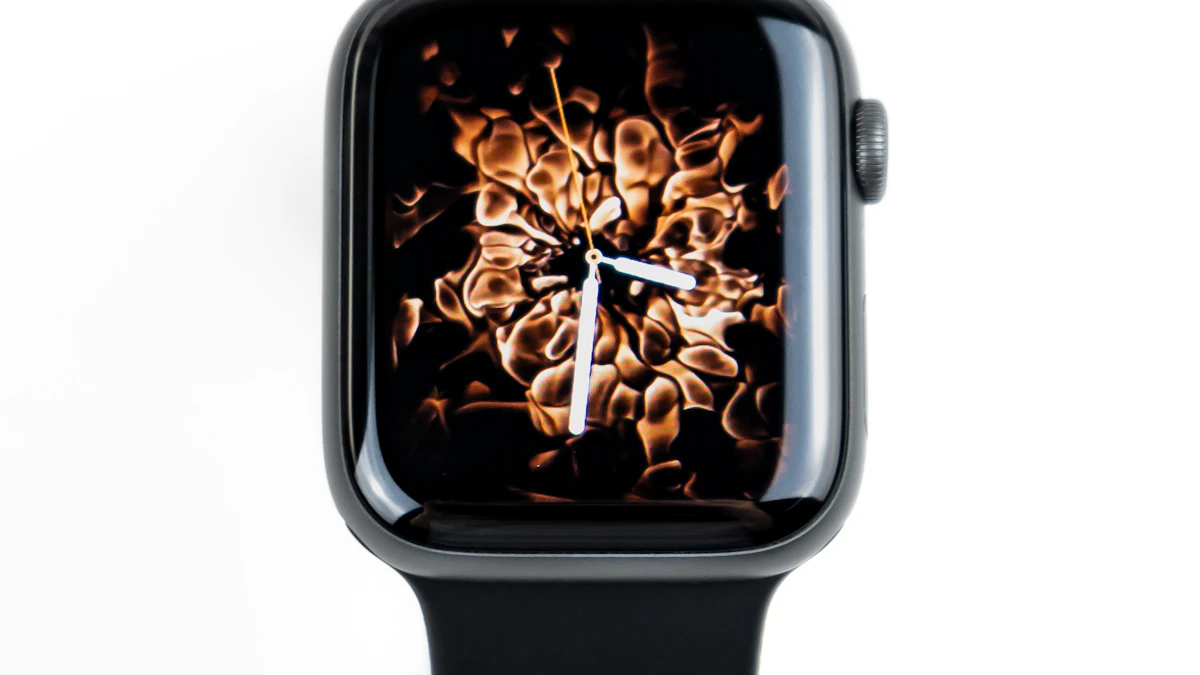
Full smartwatches
These run an app store, show rich notifications, take contactless payments and often support voice assistants. They are the closest thing to a phone on your wrist. The tradeoff is battery life: many need charging every day or two.
Fitness focused watches
These put training data first: GPS accuracy, heart rate, recovery and long battery life. App selection is usually smaller and notifications are simpler. Runners, cyclists and hikers tend to be happiest here.
Hybrid watches
Hybrids look like traditional watches with physical hands, and add basic notifications and step counting. Battery life can stretch for weeks. They suit people who want a classic look and only light smart features. If tracking is your main goal, our guide on how to choose a fitness tracker you will actually wear covers simpler bands too.
The features that actually matter
Battery life you can live with
Ask yourself one question: how often am I willing to charge this? Daily charging sounds fine until you want sleep tracking, which means the watch must be on your wrist at night. If sleep data matters to you, favor a watch that lasts several days, or one that charges quickly enough to top up during a morning shower.
Treat the advertised battery figure as a best case. Always on displays, GPS workouts and LTE all drain the battery faster. Independent reviews that test with real use are more useful than the box.
A screen you can read outdoors
A bright display matters more than a sharp one on a screen this small. Look for reviews that mention readability in direct sunlight. An always on display is convenient because you can glance at the time without moving your wrist, but it shortens battery life.
Size and comfort
Many watches come in two case sizes. The larger one usually has a bigger battery and screen, but on a small wrist it can dig in and look out of place. If you can, try one on in a store. Check that the strap uses a standard connector or a widely sold band, so replacements are cheap.
Health and fitness sensors
Most smartwatches now track heart rate, steps and sleep. Some add features such as ECG readings, blood oxygen estimates or skin temperature trends. These are useful for spotting changes over time, but they are not medical devices in the everyday sense, and certain health features are only approved or enabled in some countries. Check that the feature you care about is available where you live before paying extra for it.
Built in GPS is worth having if you run or ride without your phone. Without it, the watch borrows location from the phone, which is fine for walks but less handy for workouts.
LTE or Bluetooth only
LTE models can make calls, stream music and send messages without your phone nearby. They cost more up front, and most carriers charge a monthly fee for the watch line. Be honest about whether you will leave the phone at home. If the answer is "rarely," the Bluetooth version is the better buy.
Payments, water resistance and updates
- Contactless payments: handy for gyms and commutes. Confirm your bank supports the watch's payment service.
- Water resistance: most modern watches handle rain and handwashing, and many are rated for swimming. Read the actual rating rather than assuming.
- Software updates: a watch that stops getting updates gradually loses app support and security fixes. Look for a maker with a clear history of updating older models.
Who each choice suits
- The notification checker: a full smartwatch that matches your phone. Prioritize comfort and a bright screen.
- The weekend athlete: a fitness focused watch with built in GPS and multiday battery.
- The sleep tracker: anything with long battery life and a slim case, so you forget it is there at night.
- The style first buyer: a hybrid, or a full smartwatch with a classic band.
- The parent or caregiver: LTE can make sense if someone needs to reach you while your phone is in a bag, but weigh the monthly fee.
What you can skip
- The top tier titanium or ceramic edition. It looks lovely, and the smart features are usually identical to the cheaper aluminum model.
- LTE you will not use. It adds cost twice: once at checkout and again every month.
- Health features unavailable in your country. Paying for a sensor you cannot switch on is a common mistake.
- Huge app store counts. Most people use a handful of watch apps: weather, timers, payments, music and workouts.
How to save money on a smartwatch
Last year's model is often the best value. Watch makers tend to change little between generations, and older models usually drop in price when a new one arrives. Certified refurbished units from the manufacturer are another good route, since they typically come with a warranty.
Retailer sales around back to school season and the end of year holidays often include wearables. If you already own wireless earbuds and a phone from the same ecosystem, check for bundle offers too, but only buy a bundle if you wanted every item in it.
Finally, budget for a spare charger and maybe a cheaper third party strap. Both are small costs that make a watch much nicer to live with.
Protect your data
A smartwatch collects a lot of personal information, from your location to your heart rate. Use a strong passcode on the watch, keep wrist detection on so it locks when removed, and review which apps can read your health data. Our guide to protecting your online accounts in 10 minutes covers the account side, which matters just as much because most watch data syncs to the cloud.
If you are still deciding on the phone itself, read how to choose a smartphone first, since that choice shapes which watches make sense. For more buying advice, browse our gadgets coverage.
Frequently asked questions
Do I need a smartwatch from the same brand as my phone?
Not always, but it helps. Watches from your phone's maker usually offer the smoothest notifications, replies and setup. Watches from fitness brands often work with both iPhone and Android, with fewer extras.
How long should a smartwatch battery last?
It depends on the type. Full smartwatches commonly need charging every day or two, while fitness watches and hybrids can last much longer. Heavy GPS use, LTE and always on screens shorten any watch's battery life.
Is an LTE smartwatch worth it?
Only if you regularly leave your phone behind, for runs, swims or errands. Remember that most carriers charge a monthly fee on top of the higher purchase price.
Can a smartwatch replace a medical device?
No. Smartwatch health features are helpful for noticing trends, but they do not replace a doctor or proper medical equipment. If a reading worries you, talk to a healthcare professional.
Share this story
Spotted an error? Tell us