Key takeaways
- ChatGPT runs on large language models that predict likely text, so it can sound confident even when a fact, date or quote is wrong.
- It works best for drafting, summarizing, explaining and brainstorming, where you can judge the result yourself before using it.
- OpenAI may train on your chats by default, but you can switch off "Improve the model for everyone" under Settings and Data Controls.
In this story 5 sections
ChatGPT is a chatbot made by OpenAI that reads what you type, say or upload and writes back an answer in everyday language. That is the short answer to "what is ChatGPT." The longer answer explains something that confuses new users: why the same tool can draft a decent cover letter in ten seconds and then, a minute later, state a wrong date with complete confidence.
OpenAI released ChatGPT on November 30, 2022. It reached 900 million weekly active users in February 2026, according to Wikipedia's ChatGPT entry. Here is how it works, where you will meet it and what it can and cannot do.
How ChatGPT works, using your phone's autocomplete as a guide
Start with the word suggestions above your phone keyboard. Type "see you" and it offers "tomorrow" or "soon," because it has learned which words usually come next. ChatGPT works on a related idea at a vastly bigger scale. It runs on large language models called generative pre-trained transformers, which is where the letters GPT come from.
During training, the model is shown enormous amounts of text and learns to predict what should come next, word by word. OpenAI says in its data controls FAQ that its models learn from publicly available content, licensed content and content created by human reviewers. People then rate answers so it gets better at following instructions.
The important part for everyday use is this: by default, ChatGPT is producing likely text, not looking up a verified fact in a database. Usually likely text and correct text match. When they do not, you get a mistake.
What the model names mean
You will see names like GPT-5.5 or GPT-6 in the app and in headlines. These are versions of the model underneath ChatGPT, and OpenAI replaces them often. Wikipedia's version history lists GPT-6 as the current generation, and our report on the GPT-6 Intelligent UI rollout explains which version each plan gets. You do not have to pick a model to use ChatGPT. It chooses a sensible default, and paid plans add more choices.
Where you run into ChatGPT
Most people use it in one of a few places:
- The website and apps. You can use it at chatgpt.com in any browser, and through apps for iPhone, Android, Mac and Windows. A free account works on all of them.
- On your iPhone through Siri. Apple lets Siri pass some requests to ChatGPT. Our guide on how to use ChatGPT on iPhone walks through the app and the Siri setup.
- At work and school. OpenAI sells Business and Enterprise plans to companies, and its pricing page says ChatGPT for Teachers is free for verified US teachers from kindergarten through 12th grade through June 2027.
The free plan covers chatting, web search, file and photo uploads and voice conversations, with usage limits. OpenAI's Plus help article puts ChatGPT Plus at $20 a month. Pricing trackers updated in October 2026 list a cheaper Go plan at $8 a month and Pro plans from $100 to $500 a month. If you are weighing an upgrade, our breakdown of ChatGPT Plus vs Free goes through the differences.
What ChatGPT is good at
ChatGPT tends to be most useful when the task is about language and you can judge the result yourself. Common uses include:
- Drafting and rewriting. Emails, cover letters, product descriptions and awkward texts you have been putting off.
- Summarizing. Paste in a long article or upload a PDF and ask for the main points, the deadlines or the parts that apply to you.
- Explaining things at your level. Ask it to explain a mortgage term, a medical bill code or a coding error as if you were new to the subject, then ask follow up questions until it clicks.
- Brainstorming. Gift ideas, names for a small business, a week of dinners using what is already in your fridge.
- Organizing. Turning messy notes into a checklist, a packing list or a study plan.
- Coding help. Writing short scripts, explaining what a piece of code does and suggesting why it breaks.
In each case you can read the output and tell whether it fits, which is where ChatGPT saves the most time.
Where ChatGPT falls short, and the myths that cause trouble
It can be confidently wrong
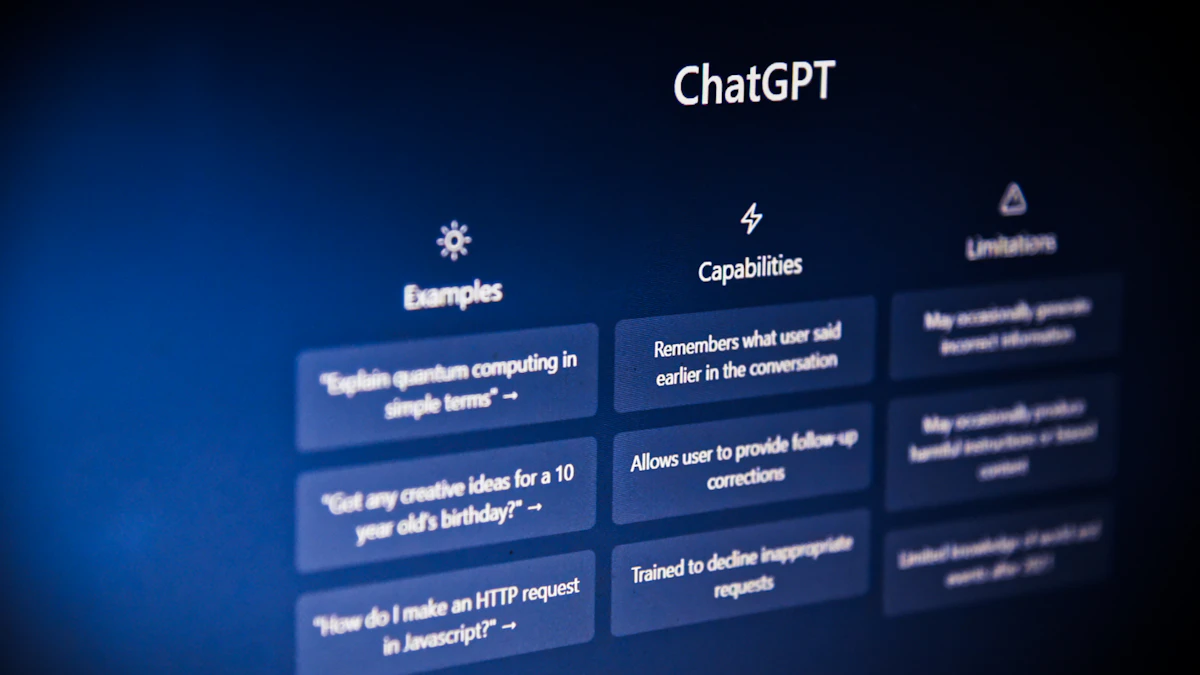
This is the limit to remember above all others. OpenAI's own terms of use warn that using the service "may in some situations result in incorrect Output that does not accurately reflect real people, places, or facts," and tell users to check accuracy for their own needs. Researchers call these errors hallucinations. They show up most often with specific details: quotes, statistics, legal citations, prices and dates. Web search helps, because ChatGPT can then show the pages it used, but you still need to open those links and check.
Myth: it understands you the way a person does
ChatGPT is very good at producing text that sounds thoughtful. That is not the same as knowing your situation. Treat it as a fast, well read assistant that needs supervision, not as an expert you can hand a decision to.
Myth: your chats stay private automatically
By default, OpenAI may use your conversations to improve its models. The data controls FAQ says ChatGPT "improves by further training on the conversations people have with it, unless you choose to disable training." To turn that off on the web, open your profile icon, then Settings, then Data Controls, and switch off "Improve the model for everyone." On the iPhone app, tap the three dots at the top right, then Settings, then Data Controls. OpenAI also offers Temporary Chats, which it says are deleted within 30 days and are not used for training.
Myth: all AI chatbots are basically the same
Google's Gemini, Anthropic's Claude and Microsoft's Copilot do similar jobs. Which is better depends on the task and changes with every model update. If one tool gives you a weak answer, trying the same question in another is a cheap way to compare.
Age limits apply
OpenAI's terms say you must be at least 13 to use ChatGPT, and anyone under 18 needs a parent or legal guardian's permission.
How to put this to use
A few habits get you most of the benefit with fewer surprises:
- Start with something low stakes, like rewriting an email you already wrote.
- Give it context. Say who the text is for, how long it should be and what tone you want. Our guide to writing better AI prompts has examples that work.
- Check anything that matters. Names, numbers, dates, medical and legal points all deserve a second source.
- Keep sensitive details out. Skip passwords, Social Security numbers, full account numbers and other people's private information.
- Decide on training. If you would rather your chats not be used to improve the models, change the Data Controls setting once and it applies to your whole account.
Once you are comfortable, the next step is ChatGPT doing tasks for you rather than just answering, which is what AI agents are about. For more plain English explainers like this one, browse our AI section.
Sources
Share this story
Spotted an error? Tell us