Key takeaways
- A regular wall outlet with your own charger and cable cannot exchange data with your phone, so it is the safest way to charge at an airport.
- No confirmed real world juice jacking attack has been publicly reported, but researchers showed in 2025 that a malicious charger could bypass the USB trust prompt on iPhone and Android.
- Never approve a Trust or File Transfer prompt from a charging port, and keep your phone updated, since Apple patched the ChoiceJacking attack in iOS 18.4.
In this story 10 sections
- What is juice jacking, and could it happen at an airport?
- Has anyone actually been hacked at an airport charging station?
- Why do the FBI and TSA warn travelers about public USB ports?
- Is a wall outlet safer than a USB port at the airport?
- Do iPhones and Android phones already block juice jacking?
- Should I tap Trust or Allow when a charger asks?
- Is it safe to charge my phone in an airport lounge?
- Are USB data blockers and charge only cables worth buying?
- What is the safest way to keep my phone charged while traveling?
- What should I do if I think a charger tampered with my phone?
Mostly yes, as long as you plug your own charger into a regular wall outlet. Public USB ports call for a little more care. Whether it is safe to use airport charging stations really comes down to one question: can that port only send power to your phone, or can it also talk to it? The risk has a name, juice jacking, and it has drawn official warnings for years even though reports of real attacks are hard to find.
Here are the questions travelers ask most, answered with what Apple, Google and security researchers have published.
What is juice jacking, and could it happen at an airport?
Juice jacking is the idea that a tampered USB port or cable can copy data from your phone, or push harmful software onto it, while it charges. It could happen anywhere there is a public USB port, and airports make an obvious target because they are full of people on low battery.
It is possible because a USB cable carries more than power. The same connector that charges your phone also moves data, which is how photos get to a computer. A kiosk with a small computer hidden behind the port could, in theory, try to open that data connection. NPR reported in 2023 that security journalist Brian Krebs coined the term back in 2011, and a researcher it interviewed said he built a fake charging station in about an hour.
Has anyone actually been hacked at an airport charging station?
No confirmed public case has been reported. Malwarebytes wrote in June 2025 that the FCC, which has kept an advice page on juice jacking since 2019, said in 2023 that it had not found any real world attacks, and that Malwarebytes had not found any since.
That does not make the warnings pointless. Researchers keep showing the attack works in the lab, and a rigged port is cheap to build. Treat it as a low probability risk with an easy fix, not a reason to panic at the gate.
Why do the FBI and TSA warn travelers about public USB ports?
Because the fix costs almost nothing and the downside is your whole phone. In April 2023 the FBI's Denver field office posted a warning about public charging stations, and the TSA told travelers on Facebook that "when you're at an airport do not plug your phone directly into a USB port," according to Malwarebytes. Those posts spread widely, which is why the topic comes back before every busy travel season.
Is a wall outlet safer than a USB port at the airport?
Yes. A standard electrical outlet only delivers power, so when you use your own charging brick and cable, nothing on the other end can exchange data with your phone. That is the safest way to top up, and many gate areas and lounge desks have regular outlets right next to the USB ports.
The weak spot is any USB port or cable you do not own. A cable already attached to a kiosk deserves the most suspicion, since the electronics could be hidden in the plug itself.
Do iPhones and Android phones already block juice jacking?
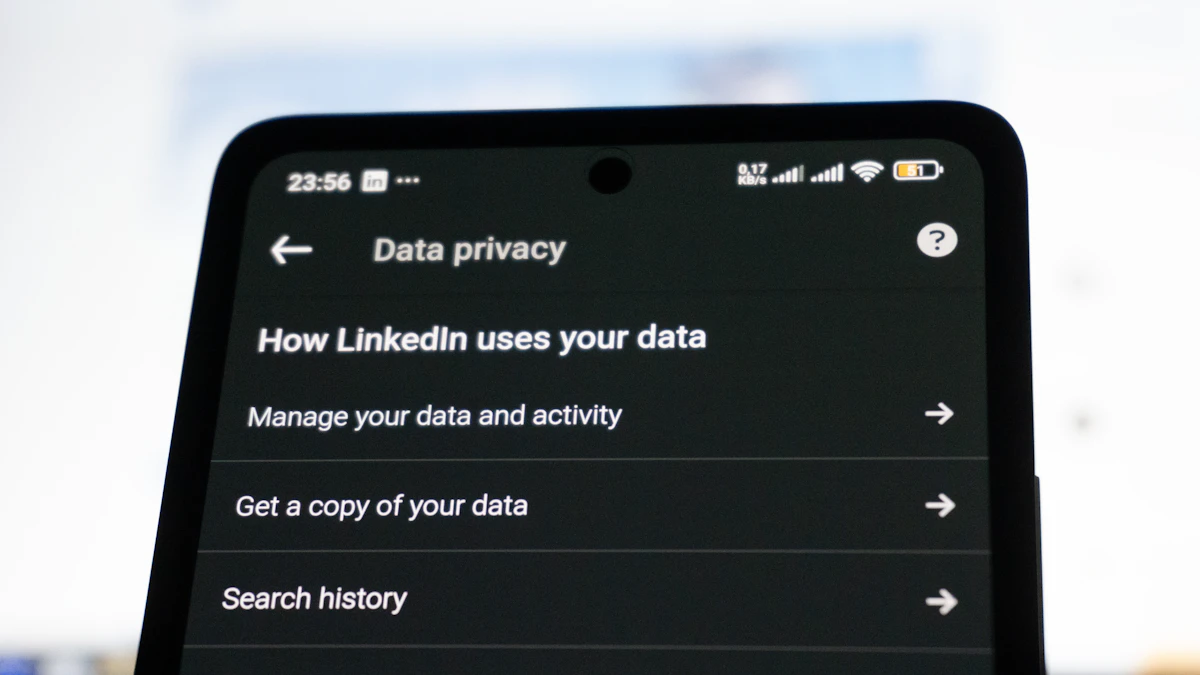
Partly. Both systems stop a newly connected USB device from reading your files until you approve it, and that prompt is your main defense.
On iPhone, a computer you trust "can sync with your device and access your device's photos, videos, contacts, and other content." If you tap Don't Trust, access is blocked and the alert appears every time you connect, according to Apple's Trust This Computer support page. Apple also keeps accessories locked out until you unlock the phone, while noting that it "will charge as usual when connected to a USB power adapter, even if you don't unlock it."
On Android, files only move after you tap the "Charging this device via USB" notification and choose File Transfer under "Use USB for," as Google's Android Help page describes. Until then, the connection is used for charging.
The catch is that researchers found ways around these prompts. A team from Graz University of Technology presented an attack called ChoiceJacking in 2025, where a malicious charger also poses as an input device and approves the prompt on your behalf. According to heise's report on the research, the attack needs an unlocked screen, Apple fixed it in iOS 18.4 by requiring your passcode or biometrics before a USB device can transfer data, and not every variant was fixed in Android 15. So keeping your phone updated matters as much as where you plug it in.
Should I tap Trust or Allow when a charger asks?
No. A charging port has no reason to ask for data access, so a trust or file transfer prompt that pops up while you are only charging is a red flag. Tap Don't Trust on an iPhone, dismiss the USB prompt on Android, and unplug.
If you worry you trusted something by mistake, an iPhone lets you clear every trusted computer at once. Open Settings, tap General, tap Transfer or Reset iPhone, tap Reset, then tap Reset Location & Privacy. Apple says the trust alert will then ask again the next time you connect.
Is it safe to charge my phone in an airport lounge?
It is the same question with better chairs. A lounge outlet is as safe as any wall outlet, and a lounge USB port carries the same small risk as one in the terminal. Lounges are staffed and harder to tamper with, but nobody publishes guarantees about their hardware, so bring your own charger there too.
Are USB data blockers and charge only cables worth buying?
They are worth it if you often end up with nothing but a public USB port. A data blocker is a small adapter that sits between your cable and the port, passing power while leaving the data connection out. A charge only cable does the same job inside the cable. Malwarebytes lists a cable with its data pins disconnected among its main defenses. Buy either from a seller you trust, because a blocker that quietly passes data defeats the point.
What is the safest way to keep my phone charged while traveling?
A few habits cover almost every situation:
- Pack your own wall charger and cable, and use a regular outlet.
- Carry a charged portable battery, one of NPR's top tips, and recharge it from an outlet.
- If only USB ports are free, use a data blocker or a charge only cable.
- Never use a cable that is already attached to a kiosk, or one someone left behind.
- Keep your phone updated and locked while it charges. On a USB-C iPhone, you can go to Settings, then Privacy & Security, then Wired Accessories, and choose Always Ask or Ask for New Accessories instead of the default, Automatically Allow When Unlocked, per Apple's accessory settings page.
- Turn the phone off before charging from a port you are unsure about, another tip NPR passed along.
What should I do if I think a charger tampered with my phone?
Unplug first. Then look for warning signs such as apps you did not install, unfamiliar profiles or settings that changed on their own. Our guide on how to know if your phone is hacked walks through those checks for iPhone and Android. Install any pending system update, change the passwords for your most important accounts from another device, and set up a two factor authentication app if you have not yet.
If the phone simply charges badly afterwards, a worn cable or dirty port is the far likelier cause, and these phone not charging fixes cover it. Charging is also not the only airport risk worth a minute of thought: public networks raise their own questions, answered in Is It Safe to Use Airport WiFi?, and you can find more guides like this in our Tech section.
One last habit: keep your charger in the bag that stays at your seat, not the one you check. The safest outlet at the airport is useless if your brick is in the cargo hold.
Sources
- Apple Support: About the Trust This Computer alert
- Apple Support: Allow USB and other accessories to connect
- Google Android Help: Transfer files between your computer and Android device
- heise: ChoiceJacking bypasses USB lock on Android and iOS
- Malwarebytes: Juice jacking warnings are back, with a new twist
- NPR: Need to charge your phone? Think twice
Share this story
Spotted an error? Tell us