Key takeaways
- Popular US smart plugs such as the Kasa KP125M are rated for 15 A and 1800 W with resistive loads but only 1/6 HP for motors.
- The CPSC says to plug space heaters directly into a wall outlet, never into an extension cord or power strip, so heaters are best kept on their own outlet.
- TP-Link advises keeping continuous loads at 80% or less of a plug's rating and does not recommend power strips, EV chargers or devices that need uninterrupted power.
In this story 5 sections
A smart plug is a small adapter that sits between a wall outlet and a device, so you can switch that device on and off from an app, a voice assistant or a schedule. It is a great fit for lamps, fans and a coffee maker. It is a poor fit for anything with a big motor, anything that must never lose power and, if you follow US fire safety agencies, space heaters. This checklist helps you sort one group from the other before something gets warm.
What a typical smart plug is rated to handle
Every smart plug has a maximum load printed on the box and the spec page. On popular US models the limit sits right at the edge of a standard household circuit. The Kasa KP125M spec page lists 15 A, 1800 W for general use or resistive loads, and only 1/6 HP for motors. The Kasa HS103 mini plug lists the same 15 amps resistive at 120 volts, the same 1/6 HP motor limit, and says it is for indoor use only.
Those two numbers tell you most of what matters. A heating element (a toaster, a kettle, an iron) is a resistive load and can use most of that rating. A motor is a different story, because it pulls a burst of current the moment it starts.
Red flags: devices that should not go on a smart plug
- It draws close to the plug's limit for hours. TP-Link's own guide to supported loads advises keeping a continuous load at 80% or less of the plug's maximum rated power for long term use.
- It has a large motor or compressor. The same TP-Link guide says its plugs are not suitable for high power motor loads such as air conditioners, refrigerators and washing machines, because the startup surge can exceed the rated current and damage the plug.
- It is a space heater. The Consumer Product Safety Commission says to plug electric space heaters directly into a wall outlet, never into an extension cord or power strip, and the US Fire Administration gives the same advice. A smart plug is not an extension cord, but it does add another connection between a high draw heater and the wall, which is exactly what that advice tries to avoid. TP-Link lists heaters among the resistive loads its plugs are built for, so manufacturers and safety agencies do not fully agree here. When in doubt, follow the fire safety guidance.
- It must never lose power. TP-Link says devices that need uninterrupted power are not recommended. Think medical equipment, a chest freezer, or the router your WiFi plug depends on to receive commands.
- It is a power strip or another plug. People search this one a lot. TP-Link says power strips are not recommended on its smart plugs, and stacking adapters puts the whole strip's load through one small device.
- It is an EV charger. TP-Link lists EV chargers as unsupported.
- It would be dangerous if it switched on with nobody home. A schedule set to the wrong day or a misheard voice command can turn things on. A lamp coming on by mistake is harmless. A hair straightener left on a towel is not.
- The plug is going outside but is rated indoor only. Outdoor smart plugs are separate products with weather resistant housings.
Devices that work well on a smart plug
The best candidates use modest power and come back on by themselves when the power returns. TP-Link's load table lists desk lamps, fans, TVs and computers as supported loads, and each draws a small fraction of a 15 amp rating.
A simple test: plug the device in, switch it on with its own button, then cut and restore power. If it does not turn back on, a smart plug can only turn it off. Many devices with soft touch electronic buttons wait for a button press after a power cut, so a plain switch or knob works better here.
If you are building a bigger setup, our smart home starter guide covers where plugs fit alongside hubs and speakers, and what Matter means for compatibility explains why one plug can work with several assistants.
A 10 point smart plug checklist before you plug anything in
- Read the appliance label. Look for watts or amps on the sticker near the cord or on the bottom.
- Find the plug's rating. Check the box or the official spec page, not a store listing. Note both the resistive rating and the motor rating.
- Do the 80% math. For an 1800 W plug, 80% is 1,440 W. A 1,500 W heater is over that line (1,500 W divided by 120 V is 12.5 A, already most of a 15 A rating).
- Check for a motor. Anything with a compressor or a large motor needs a horsepower figure at or under the plug's motor limit. If you cannot find one, leave it off.
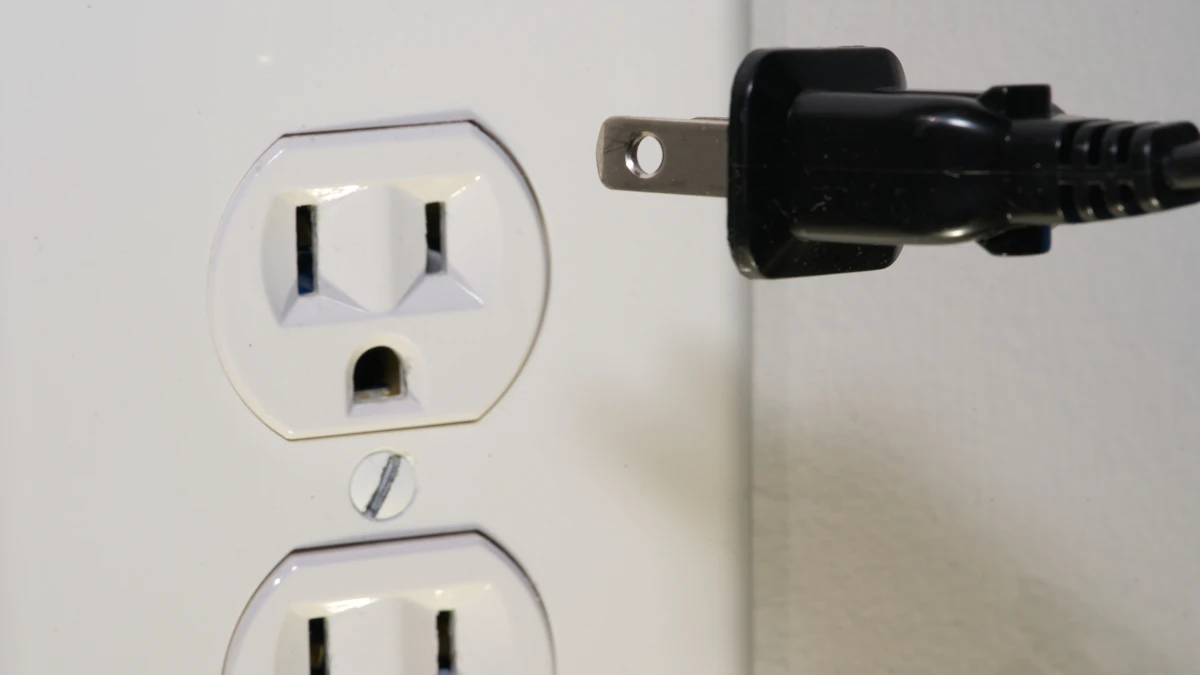
- Plug straight into the wall. No extension cord, no power strip, no outlet splitter between the smart plug and the outlet.
- Match indoor and outdoor ratings. Use an outdoor rated model on a porch, patio or garage outlet exposed to weather.
- Look for a safety listing. Kasa lists UL among the certifications for the HS103. A plug with no recognized listing is not worth the savings.
- Turn on built in protections. Some plugs add an overload cutoff. Kasa says the KP125M shuts off when power use passes a threshold you set. Auto off timers help with anything that heats.
- Keep the app and your network secure. Update the plug's app and firmware, and lock down your home router so nobody else can switch your devices.
- Touch test during the first week. After an hour of use, a smart plug should feel no more than slightly warm. Hot, soft or smelling of plastic means stop using it.
If a smart plug got hot, melted or sparked
- If you see flames or smoke, get out and call 911. Do not try to unplug a burning device.
- If it is only hot or discolored, switch off the circuit at the breaker if you can do so safely, then unplug it once it has cooled.
- Stop using that plug, and inspect the outlet. Scorch marks or a loose, warm outlet call for a licensed electrician before you use it again.
- Keep the plug, the box and your receipt, then contact the maker's support team. Note the model number and what was plugged in.
- Report the incident to the CPSC at SaferProducts.gov, the federal database for unsafe consumer products, and search there for existing reports on your model.
The CPSC counts an average of 1,600 fires a year involving portable heaters, with about 70 deaths, based on 2020 to 2022 data. Most smart plug uses carry nowhere near that risk, which is the point: keep the plug on lamps, fans and chargers, and give anything that heats or spins hard its own outlet. Shopping for plugs that work with a specific assistant? See our Alexa compatible device picks or browse more gadget guides.
Sources
Share this story
Spotted an error? Tell us