Key takeaways
- Phishing is a scam in which criminals pose as a trusted company or person to trick you into sharing passwords, money or personal details, or opening a harmful file.
- The FBI's Internet Crime Complaint Center received 193,407 phishing and spoofing complaints in its 2024 annual report.
- The FTC recommends forwarding phishing emails to reportphishing@apwg.org, forwarding phishing texts to 7726, and reporting scams at ReportFraud.ftc.gov.
In this story 6 sections
Phishing is a scam where someone pretends to be a company or person you trust so you will hand over a password, a payment, or personal details, or open a file that infects your device. That is the short answer to "what is phishing." The longer answer matters more, because once you see how the trick is built, the next fake message gets much easier to spot.
The FBI's Internet Crime Complaint Center logged 193,407 phishing and spoofing complaints in its 2024 annual report. That counts only the people who filed a report, and plenty of fake messages never get reported at all. The goal here is to make sure the next one does not work on you.
How phishing works, using a fishing trip as the comparison
The name is a play on fishing, and the comparison holds up well. A person fishing does not need every fish to bite. They cast a line with bait that looks like food, wait, and reel in whatever takes it.
A phishing attack follows the same three moves:
- The bait. A message that looks like it comes from your bank, a delivery company, a streaming service, your employer, or even a friend. The logo, the tone and the sender name are copied to look familiar.
- The hook. A reason to act right now. The FTC notes that phishing messages "tell a story," such as suspicious login attempts, a problem with your payment information, an invoice you do not recognize, or a refund you are supposedly owed.
- The catch. A link to a fake login page, a request to reply with details, a phone number that reaches the scammer, or an attachment that installs malware on your device.
Because sending messages costs almost nothing, scammers can cast millions of lines. The FTC says thousands of phishing attacks like these launch every day. Only a small share has to work for the scam to pay off.
What phishing is primarily designed to do
Nearly every phishing message is after one of three things:
- Your login credentials, so the scammer can get into your email, bank, social media or work accounts.
- Your money, through a fake payment, a gift card request, or a transfer to an account they control.
- Access to your device, by getting you to open an attachment or download an app that gives them a foothold.
Stolen credentials are often the first step toward something bigger. One hacked inbox can unlock password resets for many other accounts.
Where you run into phishing
Email is the classic channel, but it is far from the only one. CISA, the federal cybersecurity agency, says the bait usually arrives as an email, a text, a direct message on social media, or a phone call. Each version has picked up its own name:
- Email phishing is the mass version: a fake bank alert or shipping notice sent to huge lists.
- Spear phishing targets one person or a small group with details that make it believable, like your manager's name or a real project you are working on.
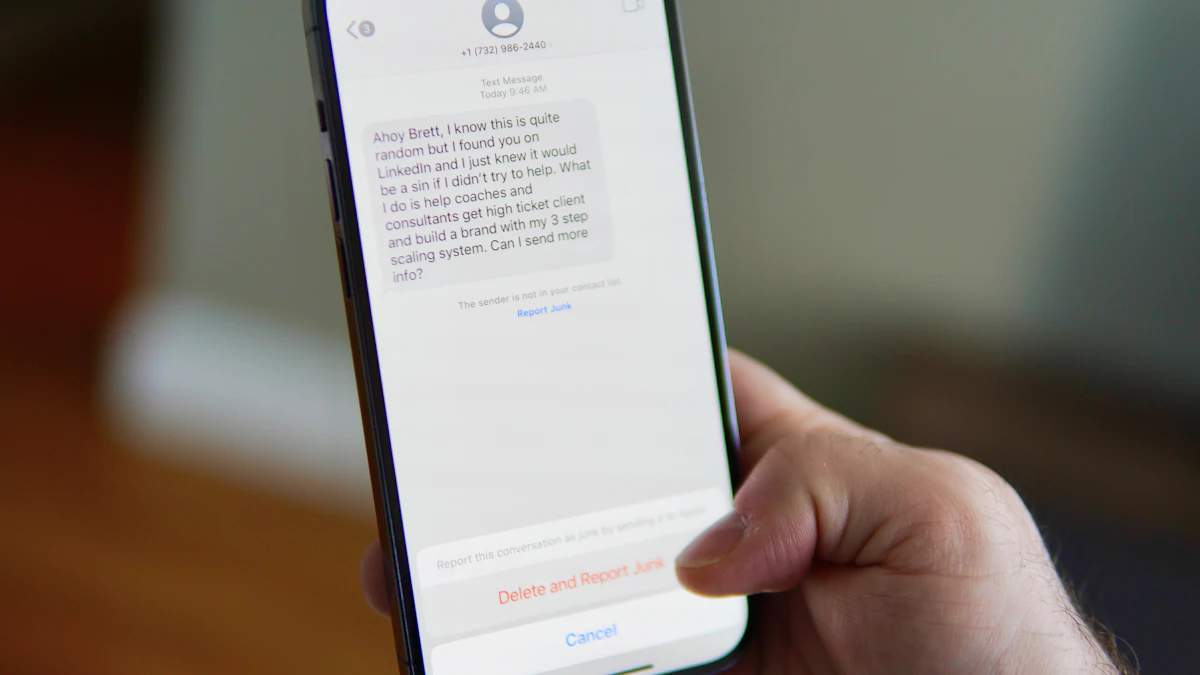
- Smishing is phishing by text message. Fake toll bills and package delivery texts are common examples.
- Vishing is voice phishing, where a caller claims to be from your bank's fraud team, a tech support desk, or a government office.
- Business email compromise is a workplace version where a fake executive or vendor asks an employee to pay an invoice or change bank details.
In cyber security training at work, you will often hear phishing described as a form of social engineering. That simply means the attack targets people rather than software. Instead of breaking through a firewall, the scammer persuades someone inside to open the door.
The signs that give a phishing message away
CISA's guidance lists a few tells that show up again and again:
- Urgent or emotional language that pushes you to act before you think.
- Requests for personal or financial information.
- Shortened links you cannot read, or links and sender addresses that are slightly off (CISA's example is "amazan.com").
The FTC adds a simple question worth asking every time: do I actually have an account with this company, or know this person? If the answer is no, treat the message as suspect. The FTC also points out that legitimate companies will not email or text you a link to update your payment information.
For a full walkthrough of these warning signs with examples, see our guide on how to spot a scam email.
Limits and common myths about phishing
Myth: bad spelling always gives it away. Typos used to be a reliable clue. CISA now notes that with AI tools, some phishing emails arrive with perfect grammar and spelling. A clean message proves nothing. The same tools are behind cloned voices too, which we cover in our piece on deepfake scams aimed at families.
Myth: only careless people fall for it. Spear phishing in particular can be very convincing, because it uses real names and real context. Smart, busy people get caught when a message lands at the wrong moment.
Myth: an unsubscribe link is a safe way out. CISA advises against clicking any link in a suspicious message, including "unsubscribe." Delete the message instead.
Limit: no filter catches everything. Email providers and phone carriers block a lot of phishing, but some always slips through. That is why your own habits still matter.
What to do with this knowledge
Knowing what phishing is only helps if it changes what you do when a message arrives. A few habits cover most situations:
- Go around the message. If a "bank" or "delivery company" says there is a problem, open its app or type its website yourself. Call a number from the back of your card or an old statement, never the one in the message.
- Turn on multi factor authentication for email, banking and social accounts. The FTC lists it as one of four core protections, alongside automatic updates for your security software and phone, and regular backups. If your work offers phishing resistant MFA, such as passkeys or a hardware security key, take it. Those methods are built so a fake login page cannot capture what it needs.
- Use a password manager. It fills in passwords only on the real site, so a lookalike page gets nothing. Our explainer on whether you need a password manager walks through the options.
- Report what you see. The FTC asks people to forward phishing emails to reportphishing@apwg.org, forward phishing texts to 7726 (SPAM), and report scams at ReportFraud.ftc.gov. If you already gave out personal information, IdentityTheft.gov has a recovery plan.
If you tapped a link on your phone before noticing something was wrong, our guide on what to do after clicking a bad link on your phone covers the next steps. You can find more security explainers in our tech section.
One last check before you act on any message that asks for something: pause for ten seconds and ask who benefits if you do what it says. Phishing depends on speed. Slowing down is the one defense that works against every version.
Sources
Share this story
Spotted an error? Tell us