Key takeaways
- Microsoft lists 4 GB of RAM as the minimum for Windows 11, but Copilot+ PCs require at least 16 GB.
- Apple's current M5 MacBook Air starts at 16 GB of unified memory, with 24 GB and 32 GB upgrades.
- In the October 2026 Steam Hardware Survey, 41.42% of PCs had 16 GB and 37.06% had 32 GB.
In this story 6 sections
How much RAM do I need? For most people buying a laptop or desktop in late 2026, the honest answer is 16 GB, with 32 GB for heavy gaming, video work or local AI tools. Those two numbers are not guesses. They line up with what Microsoft, Apple and the largest PC gaming survey all point to right now, and the figures below show why.
- 4 GB is the minimum RAM Microsoft lists to install Windows 11.
- 16 GB is the minimum RAM for a Copilot+ PC, according to Microsoft's Windows 11 specifications page.
- 16 GB is the base unified memory on the current M5 MacBook Air, configurable to 24 GB or 32 GB.
- 41.42% of PCs in the October 2026 Steam Hardware Survey had 16 GB of RAM, the most common amount.
- 37.06% of surveyed Steam PCs had 32 GB, the second most common tier.
- 7.52% of surveyed Steam PCs had 8 GB, a shrinking slice of gaming machines.
Why 4 GB for Windows 11 is a floor, not a target
Microsoft's Windows 11 specifications list 4 GB of RAM as the system requirement to install the operating system. That number tells you Windows will boot and run. It does not tell you Windows will feel quick once you open a browser with a dozen tabs, a chat app and a video call.
Think of the minimum as the size of a car's trunk that technically fits one suitcase. You can travel, but you will be repacking at every stop. On a PC, that repacking is the system shuffling data out of RAM to the much slower drive.
The 16 GB line Microsoft and Apple both drew
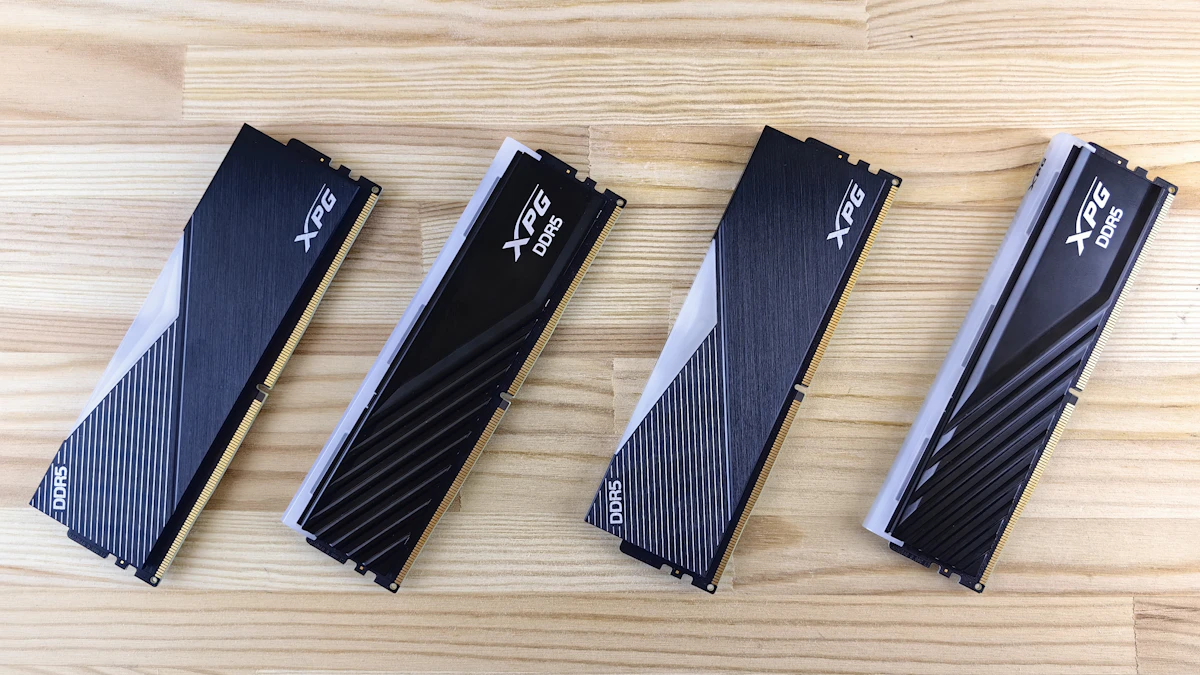
Two of the biggest platform makers have quietly settled on the same baseline. Microsoft says a Copilot+ PC needs 16 GB of DDR5 or LPDDR5 RAM and a 256 GB SSD, plus an NPU capable of 40+ TOPS. Its spec page is blunt about it: devices with fewer than 16 GB of RAM are not Copilot+ PCs, so they miss the on device AI features tied to that label.
Apple went the same way. The MacBook Air tech specs list the M5 model with 16 GB of unified memory as the starting point, with 24 GB or 32 GB as upgrades. When the cheapest laptop in a lineup ships with 16 GB, that is a strong hint about what the company expects modern software to use.
If you are choosing between Apple models, our MacBook Air vs MacBook Pro comparison covers where the extra memory options sit.
What the Steam survey says about gamers
Valve's Steam Hardware and Software Survey for October 2026 shows 16 GB on 41.42% of machines, up 3.60 points, and 32 GB on 37.06%, down 5.16 points. A month earlier, 32 GB had briefly taken the top spot. The swing back toward 16 GB came as memory prices climbed sharply this year, which we covered in our report on falling PC shipments and memory costs.
For buyers, the takeaway is simple. 16 GB is still the mainstream gaming amount, and 32 GB is the comfortable upgrade for people who stream while they play, run mods or keep a browser and Discord open alongside a big game. Only 7.52% of surveyed systems had 8 GB, and that group is getting smaller.
RAM by use, in plain numbers
These ranges follow from the platform baselines above. Check the requirements page of any specific app or game you rely on, because they change with each release.
- 8 GB: email, documents and light browsing on a budget machine or Chromebook. Expect slowdowns with many tabs open.
- 16 GB: the sensible default for students, office work, photo editing, most games and any Copilot+ PC.
- 24 GB to 32 GB: gaming while streaming, 4K video editing, large spreadsheets, virtual machines or running AI models on your own computer.
- 64 GB and up: professional 3D, large video projects and big local AI models. Only 3.94% of Steam systems had 64 GB in October 2026.
How to check how much RAM you have and whether it is enough
On Windows 11, select Start, then Settings > System > About. Your memory is listed under Device specifications, next to details like the processor and system type.
On a Mac, Apple's guide to checking if your Mac needs more RAM says to open Activity Monitor and click Memory. The Memory Pressure graph at the bottom uses three colors:
- Green means the Mac is using all of its RAM efficiently.
- Yellow means it might eventually need more RAM.
- Red means it needs more RAM.
Apple's Activity Monitor also shows Swap Used, the space on the startup disk used to move data in and out of RAM. A large swap figure during your normal workday is the clearest sign you bought too little.
Here is the catch with modern laptops. Many Macs and thin Windows machines have memory soldered to the board, so you cannot add more later. Apple notes you can check by holding the Option key, choosing Apple menu > System Information, clicking Memory under Hardware and looking for Upgradeable Memory. Assume you are stuck with what you buy unless the spec sheet says otherwise.
Worked example: sizing RAM from your own usage
Say you have a 16 GB laptop and you open Activity Monitor (or Task Manager on Windows) at the busiest point of your day. These are example readings, not test results:
- Memory used: 14.5 GB
- Swap used: 3.5 GB
Add them to estimate your real demand:
14.5 GB + 3.5 GB = 18 GB
Compare that with what you have:
18 GB needed minus 16 GB installed = 2 GB short
Now compare the next tiers up:
- 24 GB minus 18 GB = 6 GB of headroom, about 33% spare (6 ÷ 18 = 0.33)
- 32 GB minus 18 GB = 14 GB of headroom, about 78% spare (14 ÷ 18 = 0.78)
If your work is steady, 24 GB covers you with room to spare. If you expect heavier apps, more browser tabs or local AI tools over the next few years, 32 GB is the safer buy, especially on a laptop you cannot upgrade later.
RAM is only one part of the decision. Our guides on how to choose a laptop and how to choose a laptop processor cover the rest, and you can find more hardware explainers in our Gadgets section.
Before you check out, open the spec sheet one more time and confirm two things: the exact memory amount, and whether it can ever be upgraded. Those two lines matter more than almost anything else on the page.
Sources
Share this story
Spotted an error? Tell us