Key takeaways
- USB Power Delivery topped out at 100W (20 volts at 5 amps) until Revision 3.1 raised the ceiling to 240W using new 28V, 36V and 48V levels.
- Certified USB C to USB C cables are labeled 60W or 240W, so a laptop charger above 60W needs a 240W rated cable to deliver its full power.
- Apple lists a 40W or higher adapter for the fastest iPhone 17 charging, while Google asks for a PPS charger of 30W or 45W for its fastest Pixel 11 models.
In this story 6 sections
If you have ever wondered what is USB C PD, here is the short version: USB Power Delivery (PD) is the charging standard that lets a USB C charger and your phone or laptop agree on how much power to send. The plug shape tells you nothing about speed. The numbers printed on the charger and cable do. These are the ones worth knowing.
- 100W: the old ceiling for USB PD, reached at 20 volts over a USB C cable rated for 5 amps.
- 240W: the current ceiling, added in USB PD Revision 3.1 (announced in 2021).
- 28V, 36V, 48V: the new fixed voltages that unlock 140W, 180W and 240W.
- 60W and 240W: the two power ratings you will see on certified USB C to USB C cable logos.
- 20W: what Apple says an iPhone 17e or iPhone Air needs to hit 50 percent in about 30 minutes.
- 40W: what Apple lists for the same 50 percent in about 20 minutes on iPhone 17, 17 Pro and 17 Pro Max.
- 45W: the PPS charger Google lists for the fastest Pixel 11 Pro XL charging.
What USB C PD actually means on a charger
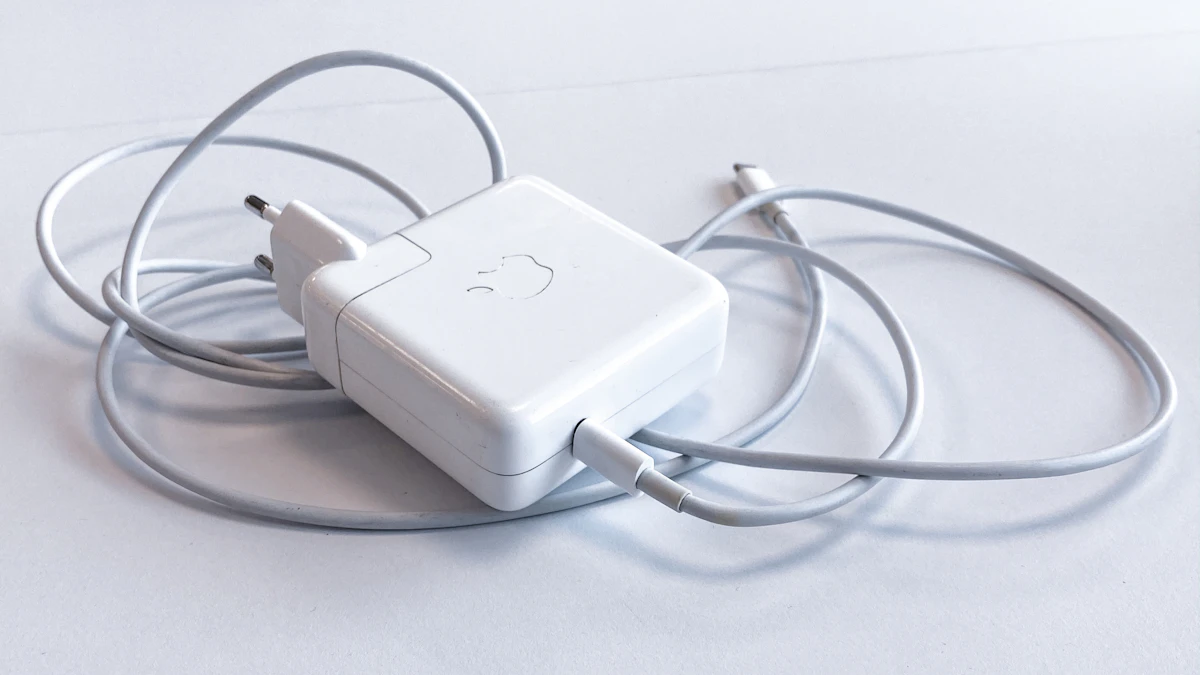
USB C is the connector. PD is the conversation that happens through it. When you plug in, the charger and the device negotiate a voltage and a current before any fast charging starts. If either side does not support PD, you get a slow basic USB charge instead.
That is why a charger labeled "USB C PD" or with a port marked PD matters. The PD port is the one that can do this negotiation. A cheap USB C brick without PD may fit your phone perfectly and still charge it slowly. So when you see "difference between USB C and USB C PD" in search results, the answer is simple: one is a plug shape, the other is a charging protocol.
You will also see PD input and PD output on power banks. Output is the power the bank can send to your phone. Input is how fast the bank itself can be recharged from a wall charger. A bank with a high PD output but a low PD input will charge your phone quickly and then take a long time to refill.
Watts, volts and amps in one line
Every charging number comes back to one formula: watts = volts × amps. A charger raises the voltage to move more power without pushing dangerous current through a thin cable.
The USB Implementers Forum (USB IF), the group that maintains the standard, says that before Revision 3.1, USB PD topped out at 100W using 20 volts over cables rated at 5 amps. Do the math and it checks out: 20 × 5 = 100.
Revision 3.1 kept the same connector and added higher fixed voltages. According to USB IF, 28V, 36V and 48V enable up to 140W, 180W and 240W respectively. It also added an adjustable voltage mode, where the device can ask for an in between voltage from 15V up to the charger's highest fixed voltage.
Why the cable rating can cap your charger
A 140W charger with the wrong cable is not a 140W charger. The cable has its own limit.
USB IF requires certified USB C to USB C cables to carry a logo showing their power rating, and its cable logo guidelines list two power tiers: 60W and 240W. The same document gives an example: a cable that supports 20V at 3A must carry a 60W logo. Again, 20 × 3 = 60.
So a 60W cable covers most phones. A laptop charger over 60W needs a cable rated for 240W (the 5 amp class) to deliver everything it can. If you see "USB C PD 100W" on a charger, pair it with a 240W rated cable, not the thin one from an old pair of earbuds.
What your phone will actually use
A big charger does not force power into a phone. The phone asks for what it can handle, and the charger supplies that or less. A 100W PD charger is safe for an iPhone. It just will not make it charge any faster than the phone's own limit.
Here is what the makers publish.
iPhone. Apple's fast charge support page says iPhone 15 and later can use an Apple 18W or greater USB C power adapter, or a comparable third party adapter that supports USB PD. For fast charging, the numbers depend on the model:
- iPhone 17e and iPhone Air: a 20W adapter or higher, for up to 50 percent in around 30 minutes.
- iPhone 17, 17 Pro and 17 Pro Max: a 40W adapter or higher, for up to 50 percent in around 20 minutes.
- iPhone 18 Pro and 18 Pro Max: up to 50 percent in around 15 minutes with Apple's 40W Dynamic Power Adapter with 60W Max, or a third party adapter rated for 60W or more that uses Adjustable Voltage Supply and supports USB PD 3.2.
That last line is where the adjustable voltage mode from Revision 3.1 shows up in real life. A plain 60W brick without that feature may not reach the quoted speed.
Pixel. Google's Pixel tech specs page asks for a USB C PPS charger. PPS (Programmable Power Supply) is a mode some USB PD chargers add that lets the phone adjust voltage in small steps. Google lists the Pixel 11 Pro XL at up to 75 percent in about 30 minutes with a 45W PPS charger or higher, and the Pixel 11 Pro at up to 55 percent in about 30 minutes with a 30W PPS charger or higher. Google notes its rates are based on its own 45W charger plugged into a wall outlet, and that actual results may be slower.
A worked example: one charger, a phone and a laptop
Say you want a single travel charger for an iPhone 17 Pro and a laptop that ships with a 65W USB C charger. You find a two port PD charger rated 100W total.
- Phone need. Apple lists 40W or higher for the fastest iPhone 17 Pro charging. Call it 40W.
- Laptop need. The laptop's own charger is 65W, so plan for 65W.
- Add them. 40 + 65 = 105W. That is 5W more than the 100W total the charger can supply.
- What happens. Many multi port chargers split their total output when both ports are busy. The exact split varies by charger and is printed in its manual, so check it. Either the phone, the laptop or both will charge a little slower than their maximum.
- The cable. The laptop port may send up to 65W. At 20V that is 65 ÷ 20 = 3.25 amps, which is above the 3 amps of a 60W cable. So the laptop cable should be 240W rated. The phone cable can be a 60W one, since 40 ÷ 20 = 2 amps.
If charging both at full speed matters, a charger with 120W or more of total output covers the 105W with room to spare.
Quick checks before you buy
Read the label, not the box art. Look for the word PD next to the port you plan to use, the per port wattage (not just the total), and PPS if you own a Pixel or another Android phone that asks for it. Match the cable to the job: 60W rated for phones and small tablets, 240W rated for laptops. And if your phone still charges slowly on a proper PD setup, the problem may be the port or the battery, which our guide on why your phone is not charging walks through.
For more on the numbers behind battery wear, see how to read iPhone battery health. If you charge on a pad instead, wireless charging speed and heat explains the tradeoffs. Shopping for portable power? Our best power banks for iPhone guide can help you pick one, and you can browse more charging and phone coverage in Gadgets.
One last tip: keep the charger that came with your laptop for the laptop, and treat a good 30W to 45W PD charger as the everyday phone brick. That pairing covers most homes without overthinking it.
Sources
Share this story
Spotted an error? Tell us